Stay Just A Little Longer: How To Get Your Site Visitors To Stick Around

Visitors Stay Longer

Visitors Stay Longer

Image credit.

Getting people to visit your website is one thing; getting them to stick around and discover what lies in store is another. The data on visitor times are pretty shocking: the average visitor will stay on your website for   fewer than 15 seconds. This depends on the site, of course, as well as the industry, the user, and a million other factors, but the bottom line remains: nobody’s sticking around for very long.

In this article, we’ll delve into some of the reasons people click away so quickly, as well as how to encourage your website visitors to stay on your website for longer than the average fifteen seconds!

Why do people click away from websites so fast?

There are many reasons that a user might choose to exit a website just as fast as they entered it. As we mentioned in the introduction, these factors include the user’s preferences, the industry, whether the interaction is B2B or B2C, and many other contributing aspects.

But the bottom line is, a person will click away from a website because it doesn’t appear to offer what they are searching for, or because it doesn’t pique their interest. We can talk all we want about the contributing factors, but the facts are clear: if something interested them enough, they would stay.

So the question you and your business should be asking is: how can I make my website more interesting for visitors? In the next section, we will explore three ways that this can be achieved. 

Meet your visitors with clear calls to action.

Calls to action are absolutely essential on any functioning website. Your calls to action need to strike the balance between tasteful and clear; you don’t want a huge, flashing popup that will only irritate your customers. On the other hand, you want your calls to action to be clear and attractive, ultimately encouraging them to click before they have a chance to think twice.

Prioritise simplicity and elegance in your website design.

Web design is a vital part of keeping visitors interested once they enter your site. A busy homepage only serves to confuse a visitor; if they disengage for even a second, you have already lost them. Then again, a sparse home page will look unprofessional.

That’s why you need to prioritise simplicity and elegance in your website design. You can draw the visitor in with beautifully placed graphics and calls to action, while keeping your messaging simple and direct.

Consult an SEO agency for advice.

SEO is the number one way to get visitors to click on your site – but it is also crucial to improve visitors’ staying power. Consult with professional advisors here to get affordable advice and content services today. 

Final Thoughts

Finding a way to keep visitors on your site is essential to growing your customer base and generating new leads. Use this helpful guide to help you achieve better staying times on your website.

Website Underperforming? It’s Time To Shake Things Up

Website Performance

We all know that the world of e-commerce is competitive.

The success of your business is largely dependent on the performance of your website, and if you find that it’s underperforming, you need to make some drastic changes to turn things around.

How can you improve your e-commerce site to set it above the rest? Here are some of the things you can do to shake things up.

Website Performance

Image Credit: Unsplash under Creative Commons

Find a better platform

The performance of your website is crucial for your business. If it’s slow, clunky and provides a bad experience to users, then you don’t stand much chance of them sticking around.

Switching to a better platform can help you give more to your customers. A BigCommerce developer could help you transform your website into a destination that people enjoy visiting, while also giving you flexibility to develop in the future.

Investing in your website is important, and choosing the right platform and developer will help you take things to the next level.

Improve your promotion strategy

Having a great website design isn’t enough to lead people to your website, you need an effective promotion strategy too. There are a lot of ways you can promote your website, helping to grow the number of visitors in no time.

Social media is one of the most effective ways of promoting your website, and using some digital marketing methods could help your website get seen by your target audience. 

Create better content

With a lot of competition out there, you need to make sure that the content of your website is engaging, exciting and provides value to the viewer. To create better content, you need to make sure it’s original and that it engages the reader.

As shoppers can’t physically engage with the products they’re browsing, you need to be able to provide quality imagery, detailed product descriptions and exploratory features to provide the best possible online shopping experience. 

Focus on your customer service

Strong customer service is essential for an e-commerce store. Negative reviews will impact your business, and it doesn’t take long for word to spread.

Some effective ways of improving your customer service include enhancing your live chat, improving your response rates and providing a flexible and personal experience. If you happen to score negative reviews, explore how you can turn things around.

Many customers will happily change their review if their query or issue gets resolved. It’s important to track and monitor your customer service to ensure customers are getting the best experience when they shop with you.

Once you’ve established a solid, high-performing e-commerce site, you can’t get complacent. Online trends are constantly evolving, and your customers will expect more and more from your service over time. Review your website’s performance regularly to ensure it’s performing as expected to help your business enjoy long-term success.

How to Promote Your Website in 2016 — 70 Articles to Take You From Zero to 140,000 Monthly Visits in 12 Months

How to Promote Your Website ImageGuess what?

No website in the World can survive without one thing:

Traffic.

It drives everything we’re trying to accomplish online.

Traffic = leads, sales, and a thriving business.

Yet, the #1 complaint I get from new subscribers is that they don’t have enough traffic.

(I ask each new subscriber how I can help them.)

And it makes sense, too:

They’ve listened to forum “gurus” shelling out cookie cutter advice, they’ve tried sketchy black hat techniques (and been penalized for them), and searched far and wide without an answer to their traffic problem.

So I decided to compile some of the best guides on traffic generation from some of the top experts in the field.

These articles will teach you how to promote your website, get more social shares, build backlinks, get ranked in search engines, network with influencers, and build an audience that supports a thriving business.

And you know what that means:

We’re on the first flight out to Thailand, sipping mai tais on the beaches of Ko Lipe 😉

baby beach meme

But first, let’s drive a ton of traffic to your website.

I’ve used the strategies in these articles to help one of my clients (now business partner) go from nearly zero to over 140,000 monthly visits in less than 12 months:

12-Month Website Traffic Growth

Needless to say, the leads and sales that came from this traffic have been huge for the business.

These tactics work. 

I suggest trying as many as possible, find the website promotion strategies that work best for your website or blog (for us, it was SEO), and focus on them 100% until you master them.

I’ve categorized this list by traffic generation strategy. Use the links below to skip to each section:

  1. Content Promotion
  2. Blogging Tactics
  3. SEO & Link Building
  4. Social Media Marketing
  5. Paid Advertising
  6. Content Marketing
  7. Guest Blogging

Enjoy!

P.S. Thank you to everyone whose articles are in this list. Keep on killing it.

Yours Free: Click to download the EXACT 7-step process I use to drive traffic, capture emails, and get ranked in search engines.

Upvote this article on Inbound.org


Content Promotion Image

Content promotion involves creating valuable content and distributing it around the web. There’s one goal in mind when executing this strategy:

Get eyeballs on your content.

Just make sure your articles are optimized to build your email list (read my 12,000-word tutorial) before you start driving traffic.

Use the following articles to get eyeballs on your content as fast as possible:


How To Drive Traffic to a New WordPress Website (50+ Actionable Tips)Tom Ewer

Author: Tom Ewer

Website: WPKube

Why This Article is a Beast:

WordPress powers 25% of all websites and 58.7% of websites that have a CMS. It’s not surprising that Tom decided to make WordPress the focus of this article.

Tom put together a monster list of tips for driving traffic to a new WordPress installation.

Many of his tips are people-focused and designed to help you build relationships. Relationships lead to social shares, traffic, and backlinks.

He also breaks down different tactics to take advantage of each major social network, content marketing, guest blogging, and more.

If you’re looking to jump start your traffic, this article is a great place to start.

Top Tip: Create amazing content that wipes the floor with the competition.


How to Ensure Your Next Post Gets Seen by Thousands of PeopleRamsay Taplin

Author: Ramsay Taplin

Website: Blog Tyrant

Why This Article is a Beast:

Ramsay Taplin is one of the most popular bloggers out there. Having sold blogs he’s built from the ground up for five figures, he knows a thing or two about getting eyeballs on his content.

This post is all about strategically promoting your next blog post (and the ones after that) for an immediate burst in traffic. By strategically, he means using different tools to make sure you’re choosing popular topics people are predetermined to share and link to (as opposed to going at it blindly).

Ramsay also breaks down one of my favorite tactics for encouraging people with large followings to share your content. (You’ll have to read the article to find out what it is ;))

Top Tip: People don’t share things they think are helpful. They share things they want other people to think they’re reading.

Also read… Analysis: What is the Best Source of Web Traffic?


21 Strategies to Drive More Free Website Traffic TodayMK Headshot 2

Author: Michael Karp

Website: Copytactics

Why This Article is a Beast:

I advise most people to go after free traffic when they’re first starting out.

Why?

Because you can get into a deeeep hole paying for traffic if your offer isn’t optimized correctly yet.

This tutorial breaks down 21 strategies I’ve used personally to drive traffic to mine and my client’s websites (at no cost). It will give you a crash course on free traffic generation.

I suggest trying out each strategy, analyzing your results, and picking the 3 that worked best. Then focus on those 100% until you’ve mastered them.

Then move on to the next one, rinse, and repeat.

Top Tip: Use Top X Articles and Expert Roundups for an instant traffic boost.

Also read… Cost Effective SEO: How I Drove 34,000 Search Engine Visits in 60 Days (For Free)

(Looking for some professional help growing your brand? Check out Dawn Creative.)


How to Get Blog Traffic: 13 Steps to Thousands of ReadersTravis Levell Headshot 2

Author: Travis Levell

Website: Project Pivotal

Why This Article is a Beast:

In this epic guide to driving blog traffic, Travis breaks down the strategies he used to increase traffic by 10X+ at the last startup he worked with.

Using these tactics, you can drive at least 1000 visitors to each article and keep 50-100 of them as subscribers. If you post and promote 2 articles per week, that’s at least 8,000 visitors and 400-800 new subscribers each month.

And your results will compound as your residual traffic from each article increases, your subscriber base increases, and you start getting ranked in search engines.

Struggling to promote your website? Check out Travis’s article.

Top Tip: Create post-specific opt-in offers (content upgrades) to capture more of your traffic as email subscribers.


10 Specific Strategies to Make Your ‘Most Popular Posts’ Work Even Harder For YouPat Flynn

Author: Pat Flynn

Website: Smart Passive Income

Why This Article is a Beast:

Often, the lowest-hanging fruit is promoting and optimizing the content that has already done well for you (rather than creating an entirely new piece).

Pat Flynn shows you 10 ways to take more advantage of your most popular content. From re-purposing your content to tap into new audiences, to optimizing it to capture more emails, to turning it into paid products, I guarantee you will find a new way to utilize your most visited pages.

Don’t have traffic yet? No worries. Use these tips to plan a larger content strategy to fit your business. (#10 is an excellent way to conduct to conduct market research.)

Top Tip: Do more of what’s working, and less of what’s not.

Also listen to… The Smart Passive Income Podcast


Case Study: How I Increased Traffic 272% In 30 Days (Without Spending A Penny)Robbie Richards

Author: Robbie Richards

Website: RobbieRichards.com

Why This Article is a Beast:

Becoming good at traffic generation is about establishing a repeatable process that works for your website.

In Robbie Richards’ 6,000-word content marketing case study, he breaks down the exact step-by-step process he used (and continues to use) that increased his traffic 272% in 30 days. Not only that, he did it without spending any money on paid advertising.

It’s centered around The Skyscraper Technique (created and popularized by Brian Dean), which involves 1) finding proven content ideas, 2) making your content better than what’s out there, and 3) “promoting it like your blog depends on it.”

Robbie takes The Skyscraper Technique to a whole new level. He leaves no stone unturned, teaching  you exactly how he researched, created and promoted his content. (He even tells you where to click.)

Use this tutorial/case study to make sure your next blog post drives traffic to your site and becomes a valuable business asset.

Top Tip: Posts that are linkable and shareworthy form the foundation of any successful content marketing strategy.

Also read… How To Promote Your Blog Posts To Get 19,011 Social Shares (Without Spending A Penny)


The 80/20 Rule for Building a Blog AudienceDerek Halpern

Author: Derek Halpern

Website: Social Triggers

Why This Article is a Beast:

Derek Halpern spends 20% of his time creating content and 80% promoting it.

Why?

In Derek’s own words, “If you spend time writing a piece of content, and that content only gets 1,000 readers, chances are there are one million other people in the world who can benefit from what you wrote. Why, then, would you spend more time creating content when you already have something that your ideal customers can benefit from?”

From March 2011 to April 2012, Derek posted a little over 2 blog posts per month and built an email list of almost 27,000 subscribers.

The proof is in the pudding.

This post changed MANY people’s outlook on content creation and how to use it to build your business. Read it to see why.

Top Tip: It’s smarter to find another 10,000 people to consume what you’ve already created as opposed to creating more.

Also read… If You’re Struggling to Get Blog Readers, Read This (Or Continue Wasting Your Precious Time)


How Content Promotion Works: 11 Strategies to TryKevan Lee

Author: Kevan Lee

Website: Buffer

Why This Article is a Beast:

There are many facets to content promotion: Email outreach, niche communities, social media, making your content shareable, and much more.

Kevan Lee, Buffer’s chief content creator, breaks down 11 content promotion strategies he has been using to get additional eyeballs on his articles. These are some of the best tactics I’ve come across, and I’ve seen each one work in one form or another.

The Buffer Blog has grown immensely, largely in thanks to Kevan’s ability to create uniquely valuable content and promote it. Check out the 11 tactics he uses to steal some of that success for yourself.

Top Tip: If you need a reason to reach out to a big name in your industry, include the person in your post. Then give them a heads up.

Also read… The Psychology of Facebook: Why We Like, Share, Comment


Sharing Other Peoples Content and Simultaneously Promoting Your OwnPaul Shapiro

Author: Paul Shapiro

Website: Search Wilderness

Why This Article is a Beast:

In this article, Paul shows you how to promote your website and other people’s content at the exact same time.

He offers a few sneaky tricks to do this, including one that will actually let you show up in someone’s Google Analytics account (with a custom message) when they get traffic from an article you’ve shared.

Using these tactics, Paul has shared other people’s articles while giving his content and website exposure at the same time. He also landed a few guest post opportunities from it.

Earn your follower’s trust by sharing other people’s content, and sneakily promote your own at the same time.

Top Tip: Use UTM parameters to promote yourself while sharing other people’s content.

Also read… Building Do Follow Links with High Quality NoFollow Links


18 Influencer Outreach Strategies to Optimize Your Campaign and Get Better Success RatesDarmawan

Author: Darmawan

Website: Panduanim

Why This Article is a Beast:

Whether you want to build a relationship, get a link to your website, or get a share to social media, you need to do influencer outreach. It’s the essential content promotion skill.

But, in reality, influencer outreach sucks.

If you ever do it yourself, you know how small the percentage of people who responded to your emails is — generally, less than 5%.

In this article, you will learn you will learn how to:

  1. Optimize your content for outreach
  2. Optimize your outreach email
  3. Build relationships with the top dogs
  4. Find more target for your outreach campaign
  5. Improve your success rate

Read the article if you want to stop wasting your (and other people’s) time with your current outreach strategy.

Top Tip: And outreach campaign starts before you create your content. Optimize your content for specific influencers to get better results.


Blogging Tactics Header

The following articles offer general tactics and case studies to help you grow and promote your blog.

You will learn about tools the top bloggers use, strategies for monetizing your blog and increasing traffic, an epic strategy for building your email list (that I have used personally in this case study), and much more:


How I Built A Top 100 Blog In 12 MonthsMatthew Woodward

Author: Matthew Woodward

Website: MatthewWoodward.co.uk

Why This Article is a Beast:

This is my favorite case study ever.

In this 14,000-word essay, Matthew Woodward walks you through his first year as an SEO and affiliate marketing blogger.

He accomplished a lot in that first year:

  • 632,452 page views
  • 31,715 hours/3.6 years spent reading his posts
  • Won 5 major awards
  • $73,334.09 profit
  • A Technorati Top 100 Business Blog

The case study shows you how he planned out the blog before launching (including his content strategy), the simple technique he used to drive traffic, how he set up the blog to accomplish his goals, how he monetized it, and much more that lay in the details of his story.

Matt goes month by month through that year, showing you everything he did to achieve his goals and make it as a full time blogger.

The information in this case study is gold, whether you’re a solopreneur or a company trying to  build your audience.

Top Tip: Use people-focused traffic generation strategies, like forum marketing and BuzzBundle.

Also read… How to Steal Your Competitor’s Rankings


Yours Free: Click to download the EXACT 7-step process I use to drive traffic, capture emails, and get ranked in search engines.


The Complete Guide to Building Your Blog AudienceNeil Patel

Author: Neil Patel

Website: Quick Sprout

Why This Article is a Beast:

There are many ways to build an audience online. The tough part is finding the most effective way for you to do it.

In this epic guide, Neil Patel shows you how almost any blog can grow their audience, step-by-step. He breaks down:

  • How to build a community of people who want to hear from you (through an email list)
  • Types of blog post that drive traffic easier than others
  • Taking advantage of search engine traffic
  • Paid advertising
  • Social media marketing
  • Content syndication
  • And much more

This is one of the most comprehensive guides on the web for building popular blogs (something Neil knows a thing or two about).

If you’ve been struggling to build your audience, it’d be a crime not to give this guide a read.

Top Tip: It’s much easier to market to people who opt-in to receive information from you.


How We Grew a Blog from Zero to $6 MillionRyan Deiss

Author: Ryan Deiss

Website: Digital Marketer

Why This Article is a Beast: 

The Digital Marketer team are experts at creating, monetizing, and growing blogs to astronomical heights. (Their Survival Life blog does over $1 million in sales — monthly.)

How did they do this? They tested and tested until they found which 20% of their strategies were getting them 80% of their results.

In this article, Ryan Deiss debunks a few blogging and online business myths that are usually preached as gospel. By doing the opposite of what most people do, and by testing like crazy, they were able to grow a blog from zero to $6 million.

You will learn how they chose their market, how they designed the blog, how they drove traffic (whenever they wanted to), and the #1 thing they focused on.

Top Tip: Traffic is everywhere.  You just need to understand the economics of your blog.

Also read… Customer Value Optimization: How to Build an Unstoppable Business


7 Cool Tools for a Blog That Will Rapidly Increase Your TrafficIan Cleary

Author: Ian Cleary

Website: Razor Social

Why This Article is a Beast:

Tools are a blogger’s best friend. Like certain tools in real life, different services can drastically amplify or speed up what you would have to do manually.

In this piece, Ian Cleary describes 7 of his favorite tools for increasing traffic to your blog. They’ll help you with SEO, crafting eye-catching headlines, keyword research, and social media marketing.

Top Tip: Use HitTail to analyze your Google Webmaster Tools account to see which keywords are driving traffic to your site, and create blog posts based on them.

Also read… 5 Awesome Ways to Increase Blog Traffic Through Competitor Research


How to Use a Giveaway to Get 2,239 Email Subscribers in 10 daysBryan Harris

Author: Bryan Harris

Website: Videofruit

Why This Article is a Beast: 

An email list is one of the most valuable business assets you can have. These people want to hear more from you, you can establish one-on-one connections easily, and it’s a channel that people still check almost every day.

The tricky part is building your email list.

In this case study, Bryan Harris breaks down one of the best list building techniques on the planet — a marketing giveaway.

By creating a contest that offers a reward he knows his ideal email subscribers would love, and by strategically promoting it around the web, Bryan was able to capture over 2,200 subscribers in just 10 days.

(I’ve also had a ton of success with this strategy.)

Not only can you build your email list at an alarmingly fast rate, but you also spread goodwill by giving people the opportunity to win something valuable.

(You see these types of strategies in almost every market, like when H&R Block gave away $1,000,000 a day for 32 days.)

Want to build your email list as fast as possible? Try using Bryan’s method for creating and promoting a giveaway.

Top Tip: Pick a killer prize that your audience covets.


The Ultimate Guide to No-Pain Copywriting (or, Every Copywriting Formula Ever)Joanna Wiebe

Author: Joanna Wiebe

Website: Copy Hackers

Why This Article is a Beast:

You may not notice it, but copywriting is EVERYWHERE.

It’s in the obvious places, like sales pages and advertisements. But it’s also at play in many other situations.

Here are a few more places where copywriting principles can make a big difference in your results:

  • Blog post headlines
  • SEO titles (the title that shows up in search engine results)
  • Landing pages (like this one)
  • Social media posts
  • Outreach emails
  • Blog posts themselves

Whenever you’re trying to convince someone to take any action, whether it be to buy your products or to continue reading your blog post, copywriting is influencing how effective you are.

In this monster of an article, Joanna Wiebe lists a ton of copywriting formulas for you to take advantage of.

These formulas are proven to get results in their respective situations. Joanna has formulas for sales pages, headlines, calls to action, testimonials, email sequences, subject lines, ads, blog posts — the works.

Use these formulas to make your headlines more shareable, your blog post intros more enticing, your outreach emails more convincing, and much, much more.

Top Tip: You should be using copywriting formulas whenever you write anything.


Increase Website Traffic: The Ultimate Blueprint to More Profitable Web TrafficAna Hoffman

Author: Ana Hoffman

Website: Traffic Generation Cafe

Why This Article is a Beast: 

There are many ways to drive traffic to a website. The key is trying as many as possible to find the ones that work best for you.

In her blueprint to increasing web traffic, Ana Hoffman lays out a ridiculous amount of tactics you can implement. She breaks them down into 8 different categories:

  1. Content leverage
  2. Relationship marketing
  3. Social marketing
  4. SEO
  5. Product creation
  6. Mobile traffic
  7. Paid traffic
  8. Offline traffic

For each category, Ana tells you the estimated priority of each strategy (high, medium, or low), the traffic potential, and the time it takes to implement each strategy. I suggest reading through her post and picking the top 3 you think will work best.

Then implement them, master them, and choose 3 more to focus on.

Top Tip: The best way to figure out where to start with your traffic generation is to see which platform your competitors drive the most traffic from.


The Myth Of “Being Everywhere” And The Smarter Path To TrafficYaro Starak

Author: Yaro Starak

Website: Entrepreneurs-Journey.com

Why This Article is a Beast:

With all of the traffic generation options available, it’s easy to want to try everything. Or as Yaro says, be “everywhere.”

Not only can this bog you down with choices, you can also spread yourself too thin and get worse results because of it.

In this post, Yaro Starak warns bloggers against trying to drive traffic from too many sources, at least in the beginning.

His advice is to focus on your best source of traffic first and ignore the rest. As your blog grows, then start moving on to other methods.

Check out this article to see why this is a better strategy and how to get started.

Top Tip: Pick one platform or one method, and get good enough that it brings in sufficient income for you to reach the next phase of your business growth.

Also read… How Much Traffic Does Your Blog Need To Make $100,000 A Year?


How I Lost 80% of My Traffic Overnight (And How I Got it Back, Plus More!)Darren Rowse

Author: Darren Rowse

Website: ProBlogger

Why This Article is a Beast:

It’s the internet-old cautionary tale:

Your traffic can die at any minute. So don’t get too comfortable, and make sure to hedge your bets by diversifying your traffic sources.

In this podcast, ProBlogger founder Darren Rowse talks about how he lost between 80% and 90% of his traffic overnight.

His blog was thriving and Google was sending him a ton of passive traffic (85% of his total), so he didn’t really think about other traffic sources. That was until most of that traffic disappeared.

Darren talks about that experience and tells you the 10 ways he recovered the traffic he lost (and what to do if the same thing happens to you).

Top Tip: Sticking with just one traffic source for your blog is very risky.

Also read… Grow Your Blog’s Traffic and Income by Creating a Resources Page for Your Blog


An Open Letter to Bloggers Struggling to Get More TrafficJon Morrow

Author: Jon Morrow

Website: Boost Blog Traffic

Why This Article is a Beast:

Some bloggers follow every bit of advice to the T. Some bloggers create mind-blowing content. Some bloggers work 10-12 hours a day to build their business.

Yet they still fail. Why is that?

Jon Morrow has taught thousands of people how to build a successful blog. In this article, he talks about how, even after applying all of the techniques he taught them, some of his students were doomed to fail from the beginning.

Jon is open and brutally honest about why this is the case — why not every topic can be made into a popular blog/business. He put together 7 tests that every blog must pass in order to be successful.

Before getting too deep into your subject, read this article to make sure you’re setting yourself up to be successful.

Top Tip: The single most important question for new bloggers: “Is my blog capable of getting traffic?”

Also read… How to Quit Your Job, Move to Paradise and Get Paid to Change the World


How to Build an Army of Volunteer Contributors for Your BlogMichael Brenner

Author: Michael Brenner

Website: Marketing Insider Group

Why This Article is a Beast:

Some of the most popular blogs in the World thrive on having many authors, with most of these writers contributing content for free. (Think: The Huffington Post, Buzzfeed, Copyblogger, etc.)

They create content that goes viral, gets ranked in Google, generates leads — all while the blog’s owners focus on other parts of the business.

In this article, Michael Brenner describes how Business2Community built an entire media company based on guest contributions, or “Author Curation,” and the 6-step process you can use to attract contributors for your own blog.

It can be a powerful strategy build an online presence, and it’s one of the few that haven’t been beaten to death.

If guest contributions could benefit your business, make sure to check out Michael’s piece.

Top Tip: They believed strongly in creating a sense of community with both their readers and their authors that went beyond just the traffic and exposure they were giving them.

Also read… Influencer Marketing and How to Amplify Your Content


5 Most Powerful Ways to Monetize Your Blog and Increase TrafficZac Johnson

Author: Zac Johnson

Website: ZacJohnson.com

Why This Article is a Beast:

Monetizing your blog and increasing traffic go hand-in-hand.

In order to make money from your blog, it needs to be 1) optimized to bring in revenue and 2) have a consistent amount of traffic (customers) visiting it.

Zac Johnson has made millions of dollars online. In this guide, he breaks down 5 ways to effectively monetize your blog and 3 ways to drive traffic to it.

I’ve personally used each monetization strategy and can vouch for the traffic gen strategies as well. This is a must-read for all bloggers (including business bloggers) who want to get the most out of their efforts.

Top Tip: A sales funnel is where the money is.


50+ Digital Marketing Tools To Grow Your StartupBryan Eisenberg

Author: Bryan Eisenberg

Website: BryanEisenberg.com

Why This Article is a Beast:

Digital marketing tools can drastically amplify your growth. The more you can cut down the time it takes the task, or the more you can scale a task, the faster you will grow your website.

In this article, Bryan Eisenberg lists over 50 digital marketing tools that you can use to grow your business. These tools range from email marketing, to web hosting, to competitive analysis, and more.

The tools in this list are extremely high quality. Give Bryan’s article a read to see if there are any that can amplify your growth.

Top Tip: Just getting started with SEO? Check out Green Lotus.


How to Write Magical Blog Titles that Get ResultsMarcus Sheridan

Author: Marcus Sheridan

Website: The Sales Lion

Why This Article is a Beast:

An article’s headline can either make or break its success. Newspapers and old-school copywriters have known this for a long time, and in the past decade or so this knowledge has transferred to the digital world.

In this video, Marcus Sheridan breaks down the blog title methodology he uses to help his clients increase their website traffic (sometimes by 5-20X).

You will learn how to create headlines that attract the right people, and headlines increase the number of visitors to your website.

Top Tip: When writing blog titles, you need to appease two people: searchers and search engines.


SEO and Link Building Header

There’s nothing like the feeling of thousands of targeted traffic flooding your website — on autopilot.

That’s search engine traffic.

It’s one of the most valuable types of traffic out there because these people are actively searching for what you’re offering, they’re coming to you free of charge, and once your rankings are in place, your traffic generation becomes 100% passive.

These guides will help you optimize your on-page SEO correctly, build backlinks, and get your site ranked in Google.


Onpage SEO Checklist: Get More Search Traffic Without LinksGael Breton

Author: Gael Breton

Website: Authority Hacker

Why This Article is a Beast:

There are two types of SEO: On-page and off-page.

On-page SEO tells Google 1) what keyword(s) you want to rank for and 2) how valuable your content is in and of itself, and off-page SEO tells Google how valuable other people think your content is.

But here’s the catch:

If you don’t get your on-page SEO right, no amount of off-page SEO will help you rank on the first page.

In one of the most in-depth articles on the topic I’ve seen, Gael Breton does an excellent job breaking down correct on-page SEO best practices.

On-page optimization isn’t just about keywords, so Gael makes a point to break down the other crucial factors, like site speed, image optimization, media, and social signals. He even talks about how to optimize your content to generate leads and attract social shares.

If you want to learn how to format your articles correctly for on-page SEO, read Gael Bretton’s guide (and download the checklist).

Top Tip: Site speed, performance and shareability have a big impact on how search engines rank your website.

Also read… How To Get Free Traffic From Facebook Even If Your Fanpage Is Lame


17 Untapped Backlink SourcesBrian Dean

Author: Brian Dean

Website: Backlinko

Why This Article is a Beast:

Backlinks form the cornerstone of off-page SEO. In my experience, they are the biggest ranking factor (that you can control) which determines your rankings and search engine traffic.

Needless to say, they’re important. But high quality backlinks can be hard to come by, especially for marketers who are new to SEO.

In this monster tutorial, Brian Dean walks you through 17 backlink sources you probably haven’t heard of yet (or thought of).

For each source, you will learn how to find link building opportunities, how to determine whether you can get the link, and how to reach out to each site owner effectively. (Some are simple as submitting your website.)

If you’ve been struggling to build backlinks to your site, I guarantee you’ll find at least one strategy that works in this article.

Top Tip: Find link roundups for easy link building opportunities for your content.

Also read… Content Strategy Case Study: 36,282 Readers + 1,000 Email Subscribers


The Linkbait Bump: How Viral Content Creates Long-Term Lift in Organic TrafficRand Fishkin

Author: Rand Fishkin

Website: Moz

Why This Article is a Beast:

When content goes viral, you usually see a big spike in traffic before it slowly tapers off. However, it usually tapers off to a higher level than your previous traffic.

Why is this?

In this episode of Whiteboard Friday, Rand Fishkin explains why viral content leads to a higher long-term lift in organic traffic.

He talks about how increases in social signals, followers, email subscribers, brand searches, and links gained all lead directly or indirectly to this lift in search engine traffic.

But most importantly, he also shows you how to create this viral content (or “10X” content) and the factors that help is generate the linkbait bump.

Get entertained and educated with this episode of Whiteboard Friday (it’s transcribed below the video, as well).

Top Tip: What you want is a deep understanding of what influencers in your niche will share and promote and why they do that.

Also read… The Beginners Guide to SEO


How To Grow a New Website to Over 100,000 Organic Visits Per MonthNick Eubanks

Author: Nick Eubanks

Website: SEONick.net

Why This Article is a Beast:

Building search engine traffic is no easy feat.

In this epic SEO case study, Nick Eubanks shows us how he grew a brand new website to over 100,000 organic visits in less than a year.

(And he did it in a language he doesn’t speak, understand, or read.)

He does a great job breaking down the technical side of his campaign. This includes building out an extensive keyword database, web hosting, his content strategy, and the website’s information architecture.

If you want not only proof, but instruction, on how to rapidly grow a website through SEO, read through this case study.

Top Tip: Technical SEO combined with content strategy can deliver serious results.

Also read… How I Sold My Little SEO Blog for $100,000


How To Check Smartphone Rankings As Google’s Mobile-Friendly Algorithm Rolls OutGlen Gabe

Author: Glen Gabe

Website: G-Squared Interactive

Why This Article is a Beast:

Google’s mobile friendly update was the talk of the town in April 2015. They increased the rankings of websites that were mobile friendly (at least, a certain percentage of websites were impacted).

So everyone rushed to mobile optimize their sites if they hadn’t already. The trick is, how do you know if your rankings changed?

In this article, Glen Gabe talks about the mobile friendly update, how the websites he was monitoring were affected, and five ways you can check your mobile rankings.

And if your site isn’t mobile optimized yet, now might be a good time to get on that and catch the low-hanging fruit.

Top Tip: Try using Search Analytics Reporting in Google Webmaster Tools.


Zero to One Million: an SEO Campaign BlueprintMatthew Barby

Author: Matthew Barby

Website: MatthewBarby.com

Why This Article is a Beast:

No, the that is not a typo.

In less than 12 months, Matthew Barby was able to take a startup from zero to one million pageviews using a clean-cut SEO strategy.

In this case study, you will learn:

  • How to hijack the rankings of bigger website to drive traffic back to your own
  • How he hit the front page of Product Hunt
  • Influencer outreach tactics
  • Journalist outreach tactics
  • How he got ranked for terms specifically to attract more backlinks
  • And much, much more

This article is a meaty 28-minute read that’s packed with actionable SEO insights. A must read for any aspiring SEO.

Top Tip: Use parasite SEO to tap into the authority of well-established websites and rank for competitive keywords (and consequently funnel traffic to your own website).

Also read… An Advanced Guide to Building an Email List


Outreach Tactics for Effective Link Building in 2016Jason Acidre

Author: Jason Acidre

Website: Kaiser The Sage

Why This Article is a Beast:

Too many people still believe that if they simply publish high quality content they’ll get ranked in Google. While I have seen this work in some cases, it’s usually through randomly ranking for low-competition keywords.

And these sites usually end up losing their rankings to people who actively build backlinks and promote their content. (At the very least, these sites are left vulnerable to this happening.)

In this guide, Jason Acidre helps you understand why it’s important to take an active approach to your link building and exactly how to do it.

He offers 5 white-hat outreach tactics to collaborate with people or help people out in exchange for a backlink. His techniques are strategic and based around exchanging value.

I highly recommend giving them a shot and adding them to your link building strategy.

Top Tip: Instead of guest posting, try upgrading others people’s content.

Also read… Scalable Link Building Process Using Influencer Marketing


How Mark Zuckerberg Stole Your Search Traffic & What To Do About ItBrian Massey

Author: Brian Massey

Website: Conversion Sciences

Why This Article is a Beast:

It’s vital that you keep your visitor’s journey in mind. After all of the work you do to drive traffic, you want to make sure that you’re maximizing the value of every single visitor.

In this piece for Search Engine Land, Brian Massey discusses how Facebook and other social networks could be stealing your search engine traffic.

How?

It’s those sneaky little social icons. Brian talks about how you’re paying for search engine traffic or you’ve worked hard to get it, only to shuffle a percentage of your visitors to a more authoritative site where they’re more likely to remain.

Read this article to learn why this could be hurting your business and find out the right time to send people to your social media profiles.

Top Tip: Pick the right time and place to ask people to join you on social media.


How To Do Local SEO For Your Website in Five Minutes (or So)Andrew Shotland

Author: Andrew Shotland

Website: Local SEO Guide

Why This Article is a Beast:

With all of the hubbub that goes on in the SEO world, local SEO tends to take a backseat. People whose business’s depend on local SEO are usually left asking, “Okay, so how would I apply this to my local business?”

In this tutorial, Andrew Shotland shows you 10 quick and easy ways to optimize your website for local search engine traffic.

He breaks down on-page and on-site issues you might be having, some additions to your website that could quickly boost your rankings, and a few longer-term strategies.

Take a look and see if any of Andrew’s tips can help boost your local search rankings.

Top Tip: Claim your profile on Merchant Circle, Google Local Business Center, Yahoo Local, and other Yellow Pages-type sites.


How to Get the Most Out of Organic TrafficTim Ash

Author: Tim Ash

Website: SiteTuners

Why This Article is a Beast:

It’s always important to search for and capitalize on low-hanging fruit when you can.

In this article, Tim Ash discusses the relationship between search engine optimization (SEO) and conversion rate optimization (CRO).

He gives you 5 key areas to focus on when improving your conversion rate from SEO:

  1. Ranking
  2. Click-through rate
  3. Stickiness
  4. Engagement
  5. Conversion

Each one plays a role in how successful your sales funnel operates. Check out this article to make sure it’s functioning the way you intend it to.

Top Tip: Break the process down into smaller areas you can optimize with small, tactical decisions.


Broken Link Building Using BuzzStreamPaddy Moogan

Author: Paddy Moogan

Website: PaddyMoogan.com

Why This Article is a Beast:

Broken linking building is one of the best link building strategies. It’s scalable and there are usually many opportunities to implement it in almost any niche,

In these guide, Paddy Moogan breaks down how to do broken link building with my favorite email outreach tool, BuzzStream.

Paddy shows you exactly how to find broken link prospects, how to import them to BuzzStream, how to create personalized templates for quick outreach, and exactly what to say to maximize your chances of getting the link.

This is one of the best “quick win” link building strategies out there. Read through this article to learn how to take advantage of it.

Top Tip: The same rules of link building apply – you need a site that deserves links.

Also read… Blackhat vs. Whitehat SEO – My Opinion


The 2015 Local Search Ranking FactorsDavid Mihm

Author: David Mihm

Website: DavidMihm.com

Why This Article is a Beast:

When building out an SEO strategy, it’s important to know what factors contribute to your rankings and how much each factor contributes.

Since Google doesn’t reveal it’s algorithm, we’re left to guess, observe, and analyze.

In this article, David Mihm introduces Moz’s 2015 list of local search ranking factors. He describes the four parts of the survey:

  1. General Ranking Factors
  2. Specific Ranking Factors
  3. Relative Change in Importance since Snack Pack/Local Stack
  4. Negative Ranking Factors

It then goes on to show the results.

Check out the factors affecting local SEO to make sure you’re focusing on the right ones.

Top Tip: On-page signals accounted for the highest importance (20.3%), followed by link signals (20.0%).

Also read… The Best Local SEO Resources on the Internet (OK, so I’m a little biased)


How to Steal the Best SEO Tricks From TOP 5 Online Marketing ExpertsMichael Pozdnev

Author: Michael Pozdnev

Website: I Wanna Be A Blogger

Why This Article is a Beast:

One of the best ways to learn any skill is to observe some of the best people in the field.

In this extremely detailed piece, Michael Pozdnez dissects how 5 online marketing experts conduct their SEO activities. He does an excellent job analyzing their optimization habits to pull out every bit of SEO knowledge.

You will learn:

  1. How these 5 experts optimize their on-site factors
  2. How they create content that gets results
  3. The off-page SEO techniques they use to get ranked
  4. The top 15 tips they implement
  5. And much more

Read this article to learn from some of the best in the biz.

Top Tip: Nowadays related and synonymous LSI keywords rule.


The Best Citation Sources by CategoryDarren Shaw

Author: Darren Shaw

Website: Whitespark

Why This Article is a Beast:

Citations are a huge part of local SEO. Often, these citations will rank higher for your business than the business itself.

The trick is finding them.

In this fantastic resource, Darren Shaw and his team collected the best local SEO citation sources for 72 different industries. They’re even separated by the United States, Canada, the United Kingdom, and Australia.

To develop the list, they ran multiple search queries for local terms in hundreds of cities. Then they combined the results to find the most frequently appearing sites within the results.

If local SEO is a part of your business, make sure to check out this list of citation sources.

Top Tip: Use it!

Also read… The Best Citation Sources by City


4 Small Business SEO Tips That I Ignored to Grow My Site to Over 3,000 Visits per Month from Google in a YearBrad Gerlach of Local Mixed

Author: Brad Gerlach

Website: Local Mixed

Why This Article is a Beast:

There is so much misinformation and SEO myths published on the internet. Many small business owners don’t have time to filter through years of blog posts to find the most current and accurate information.

Brad Gerlach shows in this post how he took his website from nearly zero organic traffic to over 3,000 organic search visits per month by circumventing old SEO tips and spending time on the most important aspects of SEO.

If you think you don’t have time to tend to build your website’s traffic, Brad will show you how you can slowly build your traffic one page at a time.

Top Tip: Don’t just publish a post and move on. Nurture and re-optimize your post until it is performing as you would like.


Social Media Marketing Header

Social media is one of the most powerful forces on the Internet (if not THE most powerful).

With over 2 billion monthly active users on Facebook, Twitter, Pinterest, and LinkedIn alone, there is a ton of traffic potential for you to harness.

These articles will show you how:


The 4-Step Approach to Effective Facebook Ad TargetingJon Loomer

Author: Jon Loomer

Website: JonLoomer.com

Why This Article is a Beast:

Facebook is one the most powerful advertising platforms around (if not the most powerful). The targeting options are so advanced that you can target your ads to people who like peanut butter and jelly sandwiches if you wanted to.

The trick, as with any paid advertising, is developing a system that works for your business.

In one of my favorite articles on Facebook advertising, Jon Loomer breaks down his 4-step approach to targeting Facebook ads.

Each step naturally leads into the next, helping you slowly but surely build up an audience both on Facebook (your fan page) and off Facebook (your email list and sales).

This article is a must read if Facebook advertising is a part of your business.

Top Tip: You can create the best possible ad, but it won’t matter if you’re reaching the wrong people.


10 Types of Visual Social Media Posts That Get Shared Like CrazyAnna Guerrero

Author: Anna Guerrero

Website: JeffBullas.com

Why This Article is a Beast:

Social media is a visual platform. Don’t believe me?

Colored visuals increase one’s willingness to read a piece of content by 80% and visual content is more than 40X more likely to get shared on social media than other types of content.

In this article, Anna Guerrero shows you 10 types of visual social media posts that are proven to get more social shares.

These posts range from stock photos, to infographics, to behind the scenes shots of your workplace. If you’ve been looking to take advantage of the increased shareability of visual posts, put some of Anna’s suggestions in your arsenal.

Top Tip: If you want to create images that impact your target audience consider: What made them choose you over your competitors?

Also read… 33 Social Media Facts and Statistics You Should Know in 2015


How To Suck At Social Media: An Indispensable Guide For BusinessesAvinash Kaushik

Author: Avinash Kaushik

Website: Kaushik.net

Why This Article is a Beast:

Social media’s potential as a business asset is astronomical. Why?

Because where else online will you find so many of your target customers (both B2C and B2B) hanging out almost every day of their lives?

However, this doesn’t mean you should jump right in a get started without some strategic thinking.

In this article, Avinash Kaushik warns businesses against being ignorant to the fact that not every social network is right for you business. He breaks down 6 of the top social networks and what current B2C and B2B businesses are doing there.

He then gives you reasons why your business might want to be on each network and what your marketing strategy could look like.

It’s easy to get caught up in the hype of one social network, but in the end it’s about whether a social platform is right for your business.

Read Avinash’s extremely well-thought out article to decide where you should be spending your time and resources.

Top Tip: When we choose to invest in Social Media, it comes at a cost. Not just what we are investing on Social Networks, but also what else we are not doing.


50 Quick and Easy Ways to Get More Facebook LikesKim Garst

Author: Kim Garst

Website: KimGarst.com

Why This Article is a Beast:

Building an audience on any social network can be supremely valuable for your business. Just like an email list, these people are fans of what you do and they want to hear more from you.

The trick is building that audience in the first place.

In this article, Kim Garst gives you 50 tips and tricks to get more Facebook likes. They range from simple things like adding a like box to your website, to more advanced tips like cross-promoting with other pages in your space.

Kim packed these tactics in an easy to read format that you can take action on immediately. Facebook is the largest social network with the greatest potential for businesses of all sizes.

Check out her list for ways to quickly and easily grow your audience on Facebook.

Top Tip: Cross-promote with a business in a complimentary niche.


How I Use the Social Networks These DaysChris Brogan

Author: Chris Brogan

Website: Owner Media Group

Why This Article is a Beast:

Not every social network is created equal. Some are better for reaching certain goals than others, and each network is constantly changing.

In this piece, Chris Brogan his experience with each social network and the changes he is noticing. As someone with hundreds of thousands of followers, he has a first-hand look at how having a large audience (like the ones we’re all trying to build) impacts his business.

Check out this piece to see his thoughts on each social network. It could spark some thoughts about where you should be allocating your time.

Top Tip: When people do use Instagram for business, it’s powerful.


How to Use Viraltag to Schedule to Pinterest, Tumblr, and MoreKristi Hines

Author: Kristi Hines

Website: KristiHines.com

Why This Article is a Beast:

One of the great aspects of social media is that you can automate your traffic generation. There are many tools out there to help you do this (both free and paid).

In this tutorial, Krist Hines show you how to use Viraltag to schedule posts to five of the top social networks: Twitter, Facebook, LinkedIn, Tumblr, and Pinterest.

Viraltag is especially good for visual posts, and Kristi shows you exactly how to set up your account and how to schedule posts using all of the features available.

If you’d like to automate some of your social media traffic, use this guide to set it up.

Top Tip: Use Viraltag as a Buffer-equivalent for visual content.


Free Traffic from Twitter – The Ultimate GuideTim Felmingham

Author: Tim Felmingham

Website: TimFelmingham.com

Why This Article is a Beast:

Twitter can be an excellent source of traffic (it’s my #1 source of social media traffic). As with any social network, there’s the free route and the paid route.

In this in-depth guide, Tim Felmingham shows you how to drive 100% free traffic from Twitter. You will learn:

  • How to grow a large base of targeted Twitter followers in a few minutes a day
  • How to automatically fill your Twitter feed with quality content
  • How to turn your followers into engaged fans
  • How to get your posts seen and shared
  • Which free tools will do most of the work for you
  • And much more

If you’ve been struggling to grow your Twitter following, this guide is a must-read.

Top Tip: Around 30%—40% of the people you follow will follow you back.


5 Sly Ways to Get More ClicksJay Baer

Author: Jay Baer

Website: Convince & Convert

Why This Article is a Beast:

Most effective social media marketing campaigns come down to one thing:

Clicks.

Are people liking your post? Clicking your link? Clicking the right areas on your website to enter your sales funnel?

In this article, Jay Baer breaks down 5 ways to get more clicks on your Youtube videos, Facebook posts, and on your website to funnel visitors in the right direction.

Every aspect of your social media post or website should encourage people to take the actions you want them to. Jay gives you 3 powerful tools and 2 social media tactics to do just that.

Check out this post to learn 5 ways to encourage people to click their way into your business.

Top Tip: Actions are more important than eyeballs.

Also read… Hug Your Haters


7 Ways To Fail At TwitterDanny Sullivan

Author: Danny Sullivan

Website: Marketing Land

Why This Article is a Beast:

Twitter fails happen all the time. People and businesses unknowingly post tweets they think are appropriate but end up turning people off (sometimes completely).

There’s a potential dark side to having a social media following. (Queue quote about with a large following comes great responsibility.)

In this article, Danny Sullivan discusses 7 ways to fail at using Twitter for your business. From listening to your customers properly, to mass reach-outs, to jumping on bandwagons, these are potentially reputation-diminishing acts that you want to avoid.

Thankfully, Danny also tells you how to avoid each fail and do the opposite to increase your reputation or following.

As your Twitter following grows, being careful about how and what you say becomes more and more important. Take heed of these fails and how to avoid them.

Top Tip: Don’t ask to be followed. If you want to be followed, you need to stand out in some way as being worth following


Social Stacking Technique: How To Grow Your Traffic With Social MediaLoz James

Author: Loz James

Website: Content Champion

Why This Article is a Beast:

When driving traffic in any form, you want to continually test out different strategies. You never know when you’ll find one that works better or more efficiently that what you’re currently doing.

In this piece, Loz James breaks down his Social Stacking Technique that he uses to build social media traffic.

He uses a sneaky method to extend the social media life of a post from one week to six to eight weeks or longer, without annoying your followers or turning people off.

And that’s just for one post. Do this for several, and you’ve just multiplied your efforts (and traffic).

Loz’s technique involves creating many unique posts for the same article and scheduling them out for six to eight weeks. This extends the lifetime of the post on social media and allows you to reach a higher percentage of your followers more often.

If you’re struggling to build your social media traffic, this could be a quick win for you.

Top Tip: Use the Social Stacking Technique to get the maximum ‘bang for your buck’ when you publish a new blog post.

Also listen to… Zero To $9K In 4 Months: Building Authority Sites With Brian Dean of Backlinko


How To Market YouTube Videos More EffectivelyAnn Smarty

Author: Ann Smarty

Website: AnnSmarty.com

Why This Article is a Beast:

YouTube is the 2nd largest search engine in the world. It offers one of the best video hosting experiences out there, for viewers and creators.

As a creator, just with written content, it’s tough to get noticed if you don’t promote your work.

In this article, Ann Smarty shows you 9 ways to market your YouTube videos and get more views. Couple with great material, you can use these tactics to grow an audience on YouTube that can’t wait for new videos to come out.

You can then funnel these people to your website, having already introduced yourself, and close them as leads and sales.

Use these YouTube marketing tactics to build an audience of enthusiastic viewers.

Top Tip: Use BirdSong Analytics’ YouTube feature to quickly identify the best-working practices of any YouTube user.


Yours Free: Click to download the EXACT 7-step process I use to drive traffic, capture emails, and get ranked in search engines.


How to Track your Success (or Failure) on TwitterRich Page

Author: Rich Page

Website: RichPage.com

Why This Article is a Beast:

There’s only one way to know whether any type of marketing is working:

Track your results.

…so you can measure them.

In this article, Rich Page show you how to track whether your Twitter campaigns are succeeding or failing. He discusses 7 tools to help you:

  • See whether your Twitter traffic is contributing to your Google Analytics goals
  • Monitor the number of clicks you receive on each link
  • Measure your reach
  • Track your retweets
  • Track your follower growth
  • And much more

If you’re wondering whether or not your Twitter efforts are working, try out some of the tools in this article.

Top Tip: Use Twitalyzer to measure your influence on Twitter.


How Facebook Calculates What Appears In Your News FeedMari Smith

Author: Mari Smith

Website: MariSmith.com

Why This Article is a Beast:

Just how knowing more about Google’s ranking factors can help you get higher search engine rankings, knowing more about the internal workings of different social networks can help you take greater advantage of them.

In this enlightening post, Mari Smith shows you how Facebook calculates what appears in your news feed. Or, from our perspective, how Facebook calculates whether or not your posts end up in other people’s news feeds.

She provides some alarming data about how Facebook’s organic reach has changed, and she shows you some interesting examples from her own Facebook.

Finally, Mari tops it off with tips for increasing your organic reach on Facebook.

We can’t control what Facebook does, but we can adapt to how it changes. Read Mari’s article to get up to speed and adjust your strategy if need be.

Top Tip: Check your Insights to see when your fans are online and test posting during these times.

Also read… 14 Ways To Get More Facebook Shares


5 Strategies for Using Twitter EffectivelyAaron Lee

Author: Aaron Lee

Website: AskAaronLee.com

Why This Article is a Beast:

Twitter can be a powerful platform for driving traffic, networking, and building an audience.

In this quick and dirty article, Aaron Lee breaks down 5 ways to use Twitter more effectively — to get more followers, retweets, and extend your reach.

These strategies come from a study by Buddy Media, where they analyzed over 320 Twitter handles from the world’s biggest brands to determine what works and what doesn’t.

These tips come straight from that study.

Check it out to make sure there isn’t anything you can’t add to your Twitter arsenal.

Top Tip: Brands that uses hashtags received two times more engagement than those without them.


Paid Advertising Header

Unlike most free traffic generation strategies, paid advertising is like a faucet you can turn on or off whenever you want.

Need some traffic? Turn the faucet on and your website or blog is flooded with visitors.

Don’t need it anymore? Just turn it off. It’s that simple.

But here’s the catch:

If you don’t convert that traffic, you stand to lose a lot of ROI. While it might take some trial and error, read through the following articles to help make sure that doesn’t happen:


How to Spend Your First $100 on Retargeting AdsNoah Kagan

Author: Noah Kagan

Website: OkDork

Why This Article is a Beast:

Answer this question:

Is it easier to 1) sell to someone who doesn’t know you, or 2) sell to someone who has had at least a little contact with you and your business?

The answer 99% of the time is #2. That’s the basis for retargeting and why it’s so powerful.

In this in-depth tutorial, Noah Kagan shows you exactly how to get started with retargeting using Facebook ads and Google image ads.

He breaks down how and why retargeting works, types of retargeting ads you can use, how he personally uses retargeting to build his businesses, and how to set up and spend your first $100 on retargeting ads.

He also offers some advanced retargeting techniques at the end.

Noah Kagan has spent over $2,000,000 on retargeting ads. Read hit post to learn how to get started with your first $100.

Top Tip: Repetition and frequency are your best friends in retargeting.

Also read… What I learned spending $2 Million on Facebook Ads


PPC Advertising: Growing Your Business with PPCLarry Kim

Author: Larry Kim

Website: WordStream

Why This Article is a Beast:

Pay per click advertising can be one of the most effective ways to scale your business online. As long as you continue to get a positive ROI, all you have to do is increase your spending to increase your revenue.

But if you can’t get a positive ROI, you can find yourself in a deep hole.

In this introductory guide, Larry Kim and the team at Wordstream break down the basic mechanics of PPC advertising. They discuss what pay per click is, its role in digital marketing, different ways you can use it to grow your business, and tools to make the process a smooth ride.

They also include screenshots and other visuals to give you a better idea of what’s going on, and they provide a breakdown of their “20-Minute PPC Work Week,” a breakdown of how you can use their tool to maximize your ads in just 20 minutes a week.

Considering pay per click advertising or frustrated with your results? Start here.

Top Tip: A better approach for PPC campaigns is to target keywords with high commercial intent that are cost effective for your budget — long-tail keywords.

Also read… What Is PPC? Learn the Basics of Pay-Per-Click (PPC) Marketing


Retargeting Flash Sale Case Study: How An E-commerce Store Generated $18,750 In Sales From $114 Facebook Marketing, In 48 HoursDaniel Hutt

Author: Daniel Daines-Hutt

Website: Inbound Ascension

Why This Article is a Beast:

There’s nothing like a solid case study to teach you (and show you) exactly how to accomplish something.

In one of the best paid advertising case studies I’ve ever seen, Daniel Daines-Hutt shows you how he helped an ecommerce store spend $114 in Facebook marketing and get $18,750 in sales as a result.

(Psst…that’s an 9,111% ROI.)

He breaks down everything you could imagine:

  • His retargeting methodology
  • How to choose the right product to sell
  • How to set up tracking to retarget your visitors
  • The sequence of campaigns you can use to move your visitors through the buyer’s cycle
  • The launch sequence he used
  • And much more

The combination of Facebook’s retargeting ability and Daniel’s use of psychological principles makes this a must read case study for paid advertisers.

Top Tip: Focusing on converting your current traffic is key to making more sales.


The Most Common PPC Mistake that is Never MentionedBrad Geddes

Author: Brad Geddes

Website: Certified Knowledge

Why This Article is a Beast:

A mistake in PPC advertising can cost you a lot of money.

In this article, Brad Geddes talks about the most common PPC mistake that seems never to be mentioned.

I’m not going to spill the beans here, but I’ll say that it’s an easy one to make, and it can have significant effects on your ROI.

Thankfully, it’s also easily avoidable 🙂

Check out Brad Geddes’ article to find out what this mistake is and how to avoid it for good.

Top Tip: The most common PPC mistake is actually rarely talked about.

Also read… Advanced Google AdWords


The 7 Biggest Google AdWords Truths That Small Businesses Don’t Want to HearAndrew Lolk

Author: Andrew Lolk

Website: White Shark Media

Why This Article is a Beast:

If you’re a small business, it’s easy to get caught up in the hype of Google AdWords and what it can do for your business. But many businesses jump in without learning about the full picture first.

In this piece, Andrew Lolk discusses 7 truths about Google AdWords most small business owners who try it don’t want to hear. They involve how your competition is doing compared to you, how the amount you pay affects your results, the truth about many AdWords agencies, and more.

As with any marketing channel, there are benefits and pitfalls if you don’t know what you’re doing. Read Andrew’s article to make sure you know what you’re facing with Google AdWords.

Top Tip: You don’t get much value from low CPC keywords simply just because they have low CPCs.

Also read… The Proven Adwords Strategy (Free eBook)


Content Marketing Header

Content marketing is at the heart of growing most long-term, sustainable online businesses in 2016 and for the foreseeable future.

You create valuable content your audience desires, promote it around the web, and drive traffic back to your site. Your visitors reciprocate that value by becoming leads and buying your products and services.

It’s the reciprocal exchange of value I describe in my content marketing philosophy.

The following articles will teach you how to harness that reciprocal exchange of value for your business.


How to Build an Audience that Builds Your BusinessBrian Clark

Author: Brian Clark

Website: Copyblogger

Why This Article is a Beast:

This is one of the first pieces I ever read on content marketing, and it made me immediately switch from freelance writing to digital marketing.

The concept resonated with me. It made sense.

And I hadn’t known it at the time, but some of my favorite bloggers/businesses (like Mark Manson) were content marketers as well. I knew that was the type of impact I wanted to make with my business.

In this free ebook, Brian Clark shows you how content marketing can be used to attract potential buyers, get them like and trust you, and ultimately, to persuade them to buy from you when the time comes to promote your products and services.

He also shows you how to combine content marketing with copywriting to encourage people to take the actions you want them to take.

This ebook is an ode to content marketing if there ever was one, and I highly recommend giving it a read.

Top Tip: Content drives the Internet, and consumers are looking for information that solves a problem, not an immediate sales pitch.


12 Content Marketing Lessons Learned in 12 Years of BloggingLee Odden

Author: Lee Odden

Website: TopRank Marketing

Why This Article is a Beast:

Content marketing is a long term endeavor, and the TopRank team have been doing it for a long time.

In this post, Lee Odden lists 12 lessons he’s learned about content marketing in the over 12 years they’ve been blogging.

He shows you the most popular of the last year (by social shares), their stats and statistics for 2015, and the 12 lessons he’s learned and how to apply them to your own blogging efforts.

If you’re looking for a little direction in your blogging, or you want a deeper insight into why you’re even creating content, read Lee’s content marketing lessons.

Top Tip: Be the best answer.


What Content Marketing Will Look Like in 2016: 40+ PredictionsJoe Pulizzi

Author: Joe Pulizzi

Website: Content Marketing Institute

Why This Article is a Beast:

Content marketing is only getting more and more popular, as brands, startups, entrepreneurs, and solopreneurs alike see the value it can bring.

In this ebook, Joe Pulizzi aggregates over 40 predictions for content marketing in 2016. These predictions come from thought leaders giving their insight into how content marketing will evolve and how businesses will utilize it.

Give it a read to see if any of these predictions could apply to your business as well.

Top Tip: “2016 will be the year marketers start to use data and a connection with leads and revenue to develop their strategy, to create better content, and to more smartly distribute it” — Pawan Deshpande (Curata)


Increase Traffic For Free – 9 Amazing Actionable IdeasKeith Gutierrez

Author: Keith Gutierrez

Website: Modgility

Why This Article is a Beast:

At its core, the reason you create content is to drive traffic back to your website, and there are many ways to do this.

In this article, Keith Gutierrez lays out 9 ways to drive traffic to your content for free. Through step-by-step instructions, screenshots, and visuals, he shows you how to utilize your content more effectively.

You will learn:

  • How to hack BuzzSumo to find the best social networks to focus on
  • How to improve your headlines
  • A simple technique to increase your search engine traffic
  • How to optimize your content to maximize social shares
  • And more

The ROI on free traffic can be huge if you implement the strategies correctly. Read Keith’s post to learn 9 ways to increase that ROI.

Top Tip: Sprinkle LSI keywords into your content to increase your ranking potential.


10 Ground Rules for Content MarketersAnn Handley

Author: Ann Handley

Website: MarketingProfs

Why This Article is a Beast:

As more brands and businesses adopt content marketing, the level of content out there continues to elevate as time goes on.

This involves everything from the impact one’s content makes to the consistency and professionalism of their content delivery.

In this piece, Ann Handley writes about her and Joe Chernov’s (VP of Content Marketing at Eloqua) 10 ground rules all content marketers should abide by. Her rules center around tell your brand’s story your way and sticking to high standards for your content.

This involves using data to back up your points, seeking out the best sources, making your content visual, and even checking your spelling.

Read Ann’s article to learn how you can hold your content to a higher standard, and thus, stand out amongst the noise.

Top Tip: Your content should show your product as it exists in the world, through customer stories, case studies or client perspectives and narratives.


7 Company Founder’s Growth Hacking TipsRyan Watson

Author: Ryan Watson

Website: GrowthHacks.Ninja

Why This Article is a Beast:

One of the best ways to learn how to build a business is to learn how other thought leaders have done it.

In this article, Ryan Watson pulls together growth hacking tips from 7 people who have founded successful companies. (His website is a collection of growth hacking interviews from various experts.)

In it, he includes tips from the likes of Michael Cheng (Founder of Sniply), Matt Bentley (Founder of CanIRank.com), and Neil Patel (Co-Founder of CrazyEgg, HelloBar and KISSmetrics).

You will learn how these people get influencers to share their content, how they encourage bloggers to write about their tools, how they engage with people online, and how they managed to stand out in a crowded online world — and thrive.

Check out this article to see if you can use any of these expert tips to accelerate your own growth.

Top Tip: “Include lots of people and companies in your blog and other content, let them know that they have been mentioned/included and request them to share.” — Sophia Solanki, Co-founder of DrumUp.IO


Inbound Marketing: The Definitive GuideClarke Bishop

Author: Clarke Bishop

Website: Inbound Team

Why This Article is a Beast:

Inbound marketing entering your customer’s lives on their terms and providing value to attract them back to your business. It’s a way to bring people through the buyer’s cycle in a way that they are happy and excited to take that journey.

That’s why it’s so effective.

In this article, Clarke Bishop collected some of the best articles on inbound marketing and put them into one convenient location.

He breaks them down into:

  • Inbound Marketing Basics
  • Content Creations
  • Traffic Generation
  • SEO techniques
  • Lead Generation
  • Sales Funnels
  • Customer Relationship Management
  • Measuring Your ROI
  • Advanced Inbound Marketing Skills
  • Case Studies

AKA, anything you could ever want to know or learn about inbound marketing.

Use these articles jump start your marketing strategy and attain the real, lasting business results inbound marketing can offer.

Top Tip: Content is the backbone of the inbound methodology. It’s the catalyst that attracts prospects and converts them into leads.


How to Send an Email to Me (or anyone) and Guarantee It Will Be ReadPeter Shankman

Author: Peter Shankman

Website: Shankman.com

Why This Article is a Beast:

Email outreach is one of the biggest aspects of content marketing and building your audience.

If you want to network with influencers, get social shares, build backlinks, and build your authority, email outreach is critical to your strategy.

In this article, Peter Shankman shows you how to get your emails read by influential people (the toughest people to get in touch with).

You learn learn how to write enticing subject lines, the optimal length of your emails, how to craft your call to action, and more.

Frustrated that no one is emailing you back? Take some tips from Peter’s article.

Top Tip: Subject lines are EVERYTHING, and they simply must include a benefit to the reader.


The 10 Commandments of Content MarketingBrian Solis

Author: Brian Solis

Website: BrianSolis.com

Why This Article is a Beast:

With content marketing, you need to answer two questions:

Are you making the impact you want to make? And are you measuring your impact correctly?

In this pieces, Brian Solis lays out his 10 commandments of content marketing. They’re designed to help you focus on what’s truly important in your content marketing campaigns and release your focus on the less important metrics.

It’s easy to get caught up in likes, retweets, bounce rate, impressions, and the like. What’s harder is determining which aspects of content marketing must be honed in on.

Read Brian’s 10 commandments to find out.

Top Tip: Shift from views or impressions as metrics and instead track performance and outcomes.


Guest Blogging Header

Guest blogging is not only an excellent way to tap into new audiences. It’s also a viable link building strategy (despite what Mr. Cutts has said).

So you can kill two birds with one stone using this website promotion strategy.

The following article will show you how to do guest blogging correctly, find guest post candidates, and tap into new audiences.


Guest Blogging Strategies that Helped Grow 36,733 Email SubscribersGregory Ciotti

Author: Gregory Ciotti

Website: GregoryCiotti.com

Why This Article is a Beast:

Many people hail guest blogging as one of the best ways to build an audience online. But, as with any marketing campaign, you must do it strategically.

In this article, Gregory Ciotti 5 out-of-the-box strategies that helped build the Help Scout blog to 36,733 subscribers (a whopping number for any business).

Why do I love this post?

Because most of the strategies he breaks down are rarely discussed, and a few I had never seen mentioned anywhere else. These tips are truly unique and can have a great impact on your guest blogging efforts.

Namely, you will learn how to get the maximum value out of each guest post.

Top Tip: Avoid guest blogging burnout by rehashing information you’ve written about before.


How To Do Guest Blogging Right And Grow Your Audience By Leaps And BoundsElna Cain

Author: Elna Cain

Website: Blogging Wizard

Why This Article is a Beast:

Everyone knows guest blogging can be beneficial, but how do you know where to start?

In this guide, Elna Cain shows you how pitch your first guest post as soon as possible. You will learn:

  • How to find blogs that accept guest posts
  • How to get on the radars of the blogs you want to write for
  • How to submit a guest post
  • And how to give your pitch the best chance of being published

Check out Elna’s step-by-step guide (with screenshots and email templates) to pitch your first guest post today.

Top Tip: One of the quickest ways to get your guest post denied is not following the rules the blog owner has in place.


List of Guest Blogging Sites (140+ best sites)Peter Sandeen

Author: Peter Sandeen

Website: PeterSandeen.com

Why This Article is a Beast:

Once you’ve got some expertise on your topic and you’re ready to start writing guest posts, all that’s left to do is to find guest post opportunities.

Thankfully, Peter Sandeen put together a massive list of sites that accept guest posts (over 140 of them).

He even categorized them by marketing blogs, self-development blogs, photography, technology, writing, fitness, finance, travel, parenting, and miscellaneous.

This is your one-stop-shop for finding guest post opportunities. Have fun!

Top Tip: These are some of the best guest blogging sites you can target.


Guest Blogging: The Ultimate GuideGlen Allsopp

Author: Glen Allsopp

Website: ViperChill

Why This Article is a Beast:

Do you have some experience guest blogging and want to take it to the next level?

In this article, Glen Allsopp takes a deep dive into guest blogging and how to make it an effective blog promotion strategy.

He covers:

  • Why it’s an effective marketing strategy
  • How to find sites to guest post on
  • How to write articles that are worthy of being published
  • Examples of guest posts and the results they’ve gotten
  • And how to maximize your own results

This is one of the most detailed guest blogging guides I’ve seen. Make sure to give it a read if guest blogging is a part of your traffic generation arsenal.

Top Tip: Although bloggers who accept guest posts also ‘win’ because they get free content, they still want great content.


How We’ve Reached More Than 1 Million People by Guest BloggingAlex Turnbull

Author: Alex Turnbull

Website: Groove

Why This Article is a Beast:

In the final article in this post, Alex Turnbull shows us how Groove managed to reach an audience over 1 million people by guest blogging.

He shows you the incredible results they’ve gotten from their guest posts (including a post that brought in over 20,000 visits). He also breaks down how they come up with content ideas and their process for pitching guest posts that get accepted by major publishers.

If you’ve heard about guest posting but you’ve been waiting for proof of its effectiveness, read this post.

Top Tip: To write guest post pitches that not only get accepted, but that turn into great blog posts, you need to think about each specific audience and their unique interests, goals and challenges.


Yours Free: Click to download the EXACT 7-step process I use to drive traffic, capture emails, and get ranked in search engines.

What’s Next?

Thanks for checking out this list!

I really hope these articles will teach you how to promote your website better in 2016.

There’s a lot of information out there, and even though I collected some of the best articles on each facet of internet marketing, this is still a lot of information to take in.

I suggest taking it one step at a time. Start with one article, apply what you learn, and move on to the next one.

What strategies are you excited to try? What has worked well for you?

Let me know in the comments below.

The Content Marketing Life Cycle

The Content Marketing Life Cycle Featured ImageContent marketing has become a massive buzzword in the digital marketing community.

Advice about “create great content” and “provide value” and “optimize for search engines AND people” are constantly being thrown around.

To me, in it’s simplest form, every content marketer is looking for 4 main results:

  1. Traffic
  2. Social shares
  3. Subscribers
  4. Customers

Content marketing that works will get you one or more of those results.

I spent an inordinate amount of time researching, experimenting, and observing which tactics and strategies would get me and my clients the most traffic, shares, subscribers, and customers.

What I found was this:

The sites getting the best bang for their buck follow a step-by-step process in their content marketing campaigns.

They don’t just publish a piece of content randomly then share it on their social media accounts and be done with it.

They front-load the work by researching content that’s proven to get results. They put in hours and hours making sure their content is a top resource.

Then they spend the same amount of time (or more) promoting that same piece of content to drive traffic and build links to get it ranked in search engines.

They take a piece of content through its entire life cycle to get the 4 main results they’re looking for (and maximize their returns).

This process is what I like to call:

The Content Marketing Life Cycle

What is The Content Marketing Life Cycle?

The Content Marketing Life Cycle takes a piece of content through its entire life cycle, from research, to creation, to promotion, to building links that get it ranked in search engines.

It involves all of these aspects of digital marketing and SEO:

  • Research to find shareable topics
  • Research to find linkable topics
  • Keyword research to find low-competition, high-volume keywords
  • Creating a piece of content that’s a top resource on that topic
  • Optimizing it to capture email address
  • Promoting it to drive traffic
  • Building links to get it ranked in search engines and attract long-term, passive traffic and subscribers

The entire process is designed to get you the most traffic, shares, and subscribers for the time you put into it, while establishing you as an authority in your niche with industry-leading content.

It’s how the top digital marketing bloggers have built their businesses, and how I have done it for my clients in other industries.

I firmly believe that The Content Marketing Life Cycle is the key to decluttering the content marketing information out there.

It helps people narrow down the exact tactics and strategies they need to implement to get the best results for the time they put into it.

How to Implement The Content Marketing Life Cycle

With The Content Marketing Life Cycle, your goal is to take a piece of content from research all the way to search engine ranking.

Then you repeat the process over and over again to grow your website’s traffic, social shares, subscribers, and authority exponentially.

I wrote a book entitled The Content Marketing Guidebook that breaks down, step-by-step, exactly how to do this:

The Content Marketing Guidebook - image

(Get a sneak preview here.)

Update: The book is LIVE. Learn more here.

It takes you by the hand through researching, creating, promoting, and ranking a piece of extremely valuable content.

The book will be launched tomorrow, December 8th, at 12AM PST.

To get an exclusive discount on the book and hear the announcement immediately, subscribe to my blog here.

Update: The book is LIVE. Learn more here.

Also, check out the following case study that shows part of The Content Marketing Life Cycle in action:

Cost Effective SEO: How I Drove 34,000 Search Engine Visits in 60 Days (For Free)

Any questions about The Content Marketing Life Cycle?

Let me know in the comments below:

Cost Effective SEO: How I Drove 34,000 Search Engine Visits in 60 Days (For Free)

Cost Effective SEO Case Study Header Image

Cost Effective SEO Case Study Header Image

SEO and SEM can quickly become deep pocket expenses for your business.

If you’re paying an agency to build links for you, freelancers to write your content, AND taking out display ads — those costs can pile up quickly.

But don’t fret:

Search engine optimization can be very affordable (and free!)

In this cost effective SEO case study, I’m going to show you how I helped one site create a piece of content, get it ranked, and drive 34,142 search engine visitors to it in 60 days (without spending money on ads, link building, or content creation).

Analytics 1

Also, using the process you’re about to learn in this case study, in just 9 months we were able to get multiple first page and #1 rankings, hit 70,000 monthly visitors, 178,000 search engine visits, and over 8,000 email subscribers.

9-month traffic growth

9-month visitors

(We also increased our organic search engine traffic 11,065% in 6 months.)

I’m going to leave no stone unturned and show you how you can follow a similar process to do the same thing.

Here’s what you will learn:

  • How to find less competitive keywords to target
  • How to create content that deserves to rank on the first page
  • How to optimize your on-page SEO correctly
  • How we monetized the page
  • How to optimize the page to build your email list
  • The link building strategies that ultimately got this content ranked

But first, let’s dive into the analytics and get a nice overview of this case study’s results:

Results From This Cost Effective SEO Case Study

First, over this 60-day period the article generated 39,308 visitors overall, which was just over a quarter (26%) of the site’s total traffic at the time.

Analytics 2

It has a time-on-page of 5 minutes and 42 seconds:

Analytics 3

Which became a HUGE factor, as this page was heavily monetized.

The page currently ranks in position #1 for its target keyword, cheap drones (3,600 monthly searches):

Ranking 1

And on the first page for the following keywords (and more):

  • best drone (6,600 searches)
  • cheap drones (3,600 searches)
  • best drone with camera (2,400 searches)
  • cheap drone (1,000)
  • cheap drones with camera (720)
  • drones for beginners (590)
  • cheap drone with camera (590)
  • cheapest drone (390)
  • drones under $100 (210)
  • drones under 100 (90)

Searches

Note: Check out the advertiser competition column. You’ll see that ALL of these keywords have commercial intent as well.

Finally, according to SEMrush, if we were paying for this traffic it would’ve cost us $2,100:

Ranking 2

This SEO ranking only cost us the time it took to create the article and build backlinks. We haven’t touched it since.

This freed up time to build more content and grow the site’s traffic exponentially.

Let’s see how this was done:

(Want to expand your marketing knowledge? Check out this extensive list of over 500 marketing terms.)

The Process I Use to Drive Traffic, Capture Emails, and Rank in Search Engines

With every content marketing and SEO campaign I run, I follow a step by step process that helps me reach my goals.

It involves researching the right content to create, choosing keywords with lower competition and higher search volume, optimizing the page’s on-page SEO, promoting it to drive traffic, and more.

I’ve created a convenient infographic/breakdown that comes with an explanation of each step. Download it for free below:

Yours FREE: Download the 7-step process I use to drive traffic, capture emails, and rank in search engines.

This case study comes from UAV Coach, a blog that’s quickly becoming one of the top sites in the recreational and commercial drone space.

(You may remember them from my list building case study, where we were able to capture 3,200 emails in 7 days.)

The article we published is called 17 Cheap Drones for Beginners (Under $100). It’s a 2,800-word review of 17 drones that are great for new pilots.

Overview 1

Since the industry is starting to boom, sifting through the noise can be a struggle for beginners.

This article caters to that need.

Here are the steps I took to rank this article:

  1. Keyword research and competitive analysis
  2. Content creation and on-page SEO
  3. Monetize the page
  4. Optimize it to generate leads
  5. Build links to get it ranked

Let’s get started!

Upvote this article on Inbound.org

1. Keyword Research and Competitive Analysis

Keyword research is arguably the most important step in any SEO campaign.

Getting this right can mean the difference between loads of passive traffic or loads of wasted time.

Most people can find keywords easily. They head over to Google’s Keyword Planner, type in a few terms related to their niche, and choose a couple from the list.

Then they create content around them.

Unfortunately, these people skip a CRUCIAL step:

Competitive analysis.

I can’t tell you how many articles I’ve seen where a low-authority site is trying to rank for next-to-impossible keywords.

They put themselves up against the big guns in their industry where they have little chance of ranking on the first page.

However, if they took the extra 15 minutes to analyze their competition first, they could rank WAY faster and pull in more traffic than they otherwise would have.

Hint: This is exactly why the cheap drones article did so well.

So I can’t stress this enough:

Conduct your keyword research, but don’t forget to analyze how hard or easy it would be to rank for each keyword.

Here’s how to conduct keyword competitive analysis:

First, head over to Google’s Keyword Planner and type in a few keywords related to your niche:

Keyword Research 1

Then click the Keyword Ideas tab and scroll down to the related keywords:

Keyword Research 2

Sort the list by average monthly searches and look for keywords you could create content around that have a high search volume:

Keyword research 3

Add these to a spreadsheet for easy organization.

Once you’ve got your list of potential keywords to target, it’s time to analyze their competitiveness.

First, install the MozBar Chrome extension. Activate it by clicking the “M” icon in your toolbar until it turns light blue:

Keyword research 4

Then do a Google search for your first keyword.

You’ll see some cool data below each result:

Keyword research 5

MozBar shows you:

  1. Page Authority (PA) – Moz’s calculation for how likely a page is to rank compared to other pages.
  2. The # of backlinks pointing to the page.
  3. Domain Authority (DA) – Moz’s calculation for how likely a website (overall) is to rank compared to other pages.

Look at all of these metrics for the top ten results. You want to see pages with a low PA, DA, and number of backlinks:

Keyword Research 6

If at least some of the pages have multiple low metrics (or all three) that’s the first indication that this is a low competition keyword you should go for.

Next, look at how well-optimized each search result is for the target keyword.

(This one made a huge impression on me when I first looked at this keyword.)

Look for the exact match keyword in these areas:

  1. Title
  2. URL
  3. Meta description

Keyword Research 7

If many of the sites don’t have the exact match keyword in these areas and they have a low PA, DA, and/or number of backlinks, it’s highly likely that with a little elbow grease you could rank for this keyword and drive LOADS of organic search engine traffic.

But you’re not done yet!

Finally, visit each web page and analyze their on-page SEO.

Look at these metrics:

  1. Content length
  2. If the page contains images and/or videos
  3. Are they over-optimizing for the keyword?
  4. Are they under-optimizing for the keyword?

For the cheap drones article, many of the top ten pages had long enough content and included images and videos.

But they weren’t optimizing for the keyword correctly.

So not only were the direct ranking metrics in our favor (PA, DA, backlinks) but so were the on-page signals.

It would be criminal not to target this keyword 😉

As you go through your list of keywords, it might get cumbersome analyzing each of these metrics for tens (or hundreds) of keywords.

It definitely did for me after a while.

Luckily, I found a program that streamlined the process and helped me analyze the competitiveness for hundreds of keywords in minutes.

It’s called Long Tail Pro.

Long Tail Pro 1

It’s a desktop keyword research tool that doubles as a rank checker and competitive analysis software.

All you do is type in a keyword:

Long Tail Pro 2

And it pulls the keywords from Google’s Keyword Planner:

Long Tail Pro 3

You can then click each keyword to view the top ten articles ranking for that term — including their PA, DA, number of backlinks, number of links actually passing juice, and more:

Long Tail Pro 4

But here’s the best part:

If you click “Calculate” next to a keyword, it will calculate that keyword’s competitiveness on a scale from 1-100:

Long Tail Pro 5

LTP 8

(1 being the easiest to rank for and 100 being the hardest.)

Here’s the formula they use:

Keyword Competitiveness = Page Authority +/- Domain Authority +/- Keywords in Domain Factor +/- Domain Length

It includes many of the same factors we looked at manually (within the PA, DA, and keywords in domain factor metrics).

Here’s a breakdown of the competition scale:

Long Tail Pro 7

Anything below 40 is fairly easy to rank for.

I like to take 10 minutes, sort my list of keywords by search volume, and calculate the competitiveness for any keywords I might want to create content around.

Then I simply filter the data from highest-to-lowest competition and identify low-competition keywords with high search volume:

Long Tail Pro 8

It takes 10 minutes and can really streamline the competitive analysis process.

However, you’d want to combine this with your own analysis to be absolutely certain it’s a keyword you want to target.

And note that there are two versions of the software: Pro and Platinum.

Platinum offers you the competition ranking for each keyword. Pro does not.

But Pro does come with the same rank checking abilities and a high-level overview of the keywords.

It has saved me a ton of time researching keywords. I use it for every campaign.

So I highly suggest grabbing a copy of Long Tail Pro right here.

After finding your low-competition keyword, you know some useful things:

  1. This keyword is easier to rank for.
  2. You know exactly what you need to do to outrank your competitors, whether it’s building more links, creating more in-depth content, optimizing your search result better, and/or including media in your content.
  3. You have a high likelihood of ranking for this keyword and you know the amount of traffic it could pull in.

Now it’s time to create your content:

2. Content Creation and On-Page SEO

When creating content, ask yourself this:

Does my content deserve to rank on the first page?

Google wants to deliver the best results for any given search term, so they want to move the best content for any given search term up the rankings.

While there isn’t someone at Google who will manually view your content, determine that it’s the best, and then rank it, you can increase your chances dramatically by creating content that deserves to rank on the first page.

Increase your chances of ranking by creating content that deserves to rank on the first page #SEO Share on X

Let’s use the cheap drones article as an example:

First, it’s highly relevant to the search term.

When people search for cheap drones, they’re presented with an article that reviews 17 drones you can buy for under $100.

Content creation 1

And the drones range in price from $13.99 to $97 in order to cater to any budget within that range.

So it’s topically relevant.

Second, the article is 2,808 words long:

Content creation 2

This tells Google that we didn’t just list 17 drones, but we elaborated on them as well. In Google’s eyes and readers’ eyes, this is more valuable.

Third, the article gives a short description of each drone and the exact features and specs from the retailer:

Content creation 3

These all contain related keywords that help Google determine how relevant the page is to the target search term.

Fourth, the article links out to a sales page for each model. This increases user experience by connecting the reader to exactly what they’re looking for when they’re ready to buy.

Content creation 4

All of this combines to create a resource that deserves to rank on the first page for this search term.

For the content you’re creating and trying to rank, look at the pages you’re competing against.

How can you outdo them?

  • Can you create something that’s more in-depth? Longer-form content usually provides more value and pulls in more long-tail traffic.
  • Can you enhance user experience? Maybe include videos or jump links to different sections of the page.
  • Can you offer better information in general?

This will not only make your content more valuable to search engines and readers, but it will make link building and promotion easier as well.

“The more valuable your content is, the easier it is to build links to it.” #SEO Share on X

Once you’ve created your content, compare it with the top ten pages and make sure it stands out.

Then let’s optimize your on-page SEO:

How to Optimize Your Article’s On-Page SEO

On-page SEO tells Google 3 things:

  1. What keyword(s) you want to rank for,
  2. What your page is about,
  3. And how valuable it is.

Off-page SEO, on the other hand, tells Google how valuable other people think your page is.

Both work in tandem to help you rank in search engines. But without one or the other, your job becomes much harder.

Thankfully, because you picked a lower-competition keyword, many of your competitors probably aren’t optimizing their pages well.

This means you can get a massive leg up before you even publish your content.

Let’s go through this quick on-page SEO checklist to fully optimize your content:

  1. Keyword placement
    • Title
    • URL
    • Meta description
    • First 200 words
    • Subheadings
    • The first image’s ALT text
    • A couple times in the body content
  2. Keyword variations
  3. Media
    • Images
    • Videos
  4. External linking
    • Relevant resources

1) Keyword Placement

First, place your target keyword in these areas:

The title –

on page seo 1

URL –

on page seo 2

Meta description –

on page seo 3

Within the first 200 words of the page –

on page seo 4

Subheadings, where relevant.

The first image’s ALT (alternative) text –

on page seo 5

And a couple times in the body content –

on page seo 6

Anymore than that and you might over-optimize for the keyword, which can hurt your rankings.

Next up are variations of your keyword:

2) Keyword Variations

To make sure you’re not over-optimizing, you may want to include variations of the target keyword in your content.

These can also pull in additional search engine traffic if you end up ranking for them.

Here’s an example:

on page seo 7

To find keyword variations, do a Google search for your target keyword and scroll down to the “Searches related to…” section.

on page seo 8

Here, Google is practically giving you keywords they find highly relevant to your target search term.

Take any that are relevant and plug them into the Keyword Planner (or Long Tail Pro).

Add any to your content that have a decent search volume.

Then go to the Keyword Ideas tab, scroll down to the related terms, and add any to your content that seem relevant:

on page seo 9

3) Add Media to Your Content

Media, such as images and videos, tell Google that your page is a resource with multiple dimensions.

Not only are you providing value through text, but visually as well (especially video).

Video in particular increases time-on-page, which is an engagement signal to Google. It also keeps people on your site longer to check out more content, opt in to your email list, and buy your products and services.

So make sure to include helpful images and/or videos in your content.

on page seo 10

(We didn’t include any videos for this article, but a few drone reviews or flying examples would increase our time-on-page even further.)

4) Link Out to Relevant Resources

The pages you link out to are relevancy signals to Google.

External links also tell Google that your page is a hub of information on the web.

You don’t need to force links into your content, but you should link out to resources that cover topics your content doesn’t cater to.

For this article, we linked out to a sales page for each drone so readers could check the current price.

We also linked out to a couple reviews:

on page seo 11

After this, your content should be fully optimized to rank for your target keyword and keyword variations.

Let’s move on to how we monetized the page:

Yours FREE: Download the 7-step process I use to drive traffic, capture emails, and rank in search engines.

3. Monetization

Since the article reviews products that can be bought online easily, and the commercial intent behind our target keyword indicates these people are ready to buy, monetizing this page became an easy decision:

Affiliate links to those products.

Monetization 1

We added links to two trusted drone retailers:

  1. Amazon
  2. Banggood

Currently, the page is getting almost 8,000 affiliate link clicks per month:

Monetization 3

I can’t disclose the exact figures, but this translates to a healthy amount of passive income each month.

If you can’t monetize your page, don’t worry. There’s another goal that every page you’re trying to rank should have:

Build your email list.

Upvote this article on Inbound.org

4. Optimize Your Page to Capture Email Addresses

It’s important to do this before ranking your content.

Why?

Because you should optimize your page to generate leads before driving traffic.

This makes sure you don’t miss out on any potential leads and long-term customers.

Optimizing your page involves 3 steps:

  1. Create a lead magnet
  2. Set it up to be delivered automatically to new subscribers
  3. Set up opt-in forms

Let’s get to it:

1) Create a Lead Magnet

A lead magnet is simply a free resource you give away to new subscribers in exchange for their contact information.

This can be as simple as a free ebook and as extravagant as a mini-course:

Lead magnet 1

When creating a lead magnet, make sure it follows this criteria:

  1. It can be delivered online
  2. It can be delivered automatically to new subscribers
  3. It doesn’t take that long to consume

These make great lead magnets:

  • Free ebooks
  • Video tutorials
  • Mind maps
  • Checklists
  • Additional tips/strategies
  • Free trials

For the cheap drones article, we created the simplest lead magnet possible:

A PDF version of the article using the Print Friendly & PDF Chrome extension.

Lead Magnet 2

This allows people to take the article anywhere on any device, even when they’re not connected to the Internet.

(It’s a surprisingly valuable resource.)

Once you’ve got your lead magnet handy, you need to set it up so that it delivers automatically to new subscribers.

2) Deliver Your Lead Magnet Automatically to New Subscribers

This lets you generate leads and deliver what they asked for passively.

For this, you need to use an email marketing service.

Here are some of the more popular ones:

I’ve tried both Mailchimp and AWeber.

Mailchimp is one of the best free options (up to 2,000 subscribers). I used them when I first started email marketing.

But as I wanted to add more advanced features, an autoresponder, and have a cleaner interface to work with, I went with AWeber (which starts at $19/mo).

Whichever you choose, they all allow you to send a welcome email to deliver your lead magnet. Or you can redirect people to a specific page after confirming their email address.

To keep things simple, I keep all of my lead magnets on one page. When someone opts in, I automatically send them to the page where they can download the one they opted in for and any others they might be interested in.

Lead Magnet 3

And I give them the link again in my welcome email:

Lead Magnet 4

For UAV Coach, we do something similar by sending all of the lead magnets in the first welcome email.

This makes sure every subscriber gets the resource they asked for automatically.

Once your lead magnet is set up, it’s time to optimize your page with opt-in forms:

3) Optimize the Page With Opt-In Forms

For the cheap drones article, we used two opt-in forms:

1. A pop-up lightbox (using SumoMe’s free Leads app)

Leads 2

Leads 3

2. A pop-up form (using SumoMe’s free List Builder app)

List Builder 2

Check out these instructions to install SumoMe on your site, or read my 12,000-word tutorial on lead generation for a step-by-step walk through.

These have been our two main list building strategies for the site overall.

And they’ve performed extremely well, helping us collect around 90+ emails per day (and growing):

Leads 1

List builder 1

Leads 4

Once your page is ready to capture emails, you’re all set to build some links, get it ranked, drive traffic, build your email list, and attract a passive stream of targeted buyers.

Let’s do it!

5. Build Links to Rank Your Content on the First Page

Link building is the driving force of any SEO campaign.

Without backlinks, it’s tough to get ranked.

However, since you found a low-competition keyword, it takes a lot less links to rank on the first page than if you had picked one randomly.

This means you get to reap the rewards of targeted search engine traffic much faster than your competitors (while they continue to fight for the same handful of search terms).

To rank the cheap drones guide, we used 3 main link building strategies:

  1. Scoop.it
  2. Reverse engineering our competitor’s backlink profiles
  3. Guest posting

1) Submit Your Content to Scoop.it Pages

Scoop.it is a content curation platform.

People create pages around different topics then “scoop” (or share) links to valuable content they find.

The links are nofollow but a lot of these pages have solid authority and traffic:

Scoop.it 1

But here’s the important part:

Most pages have a “Suggest” feature where you can suggest your content to the owner. If they like it, they’ll accept your suggestion and you’ll get the link.

All you have to do is find Scoop.it pages related to your content and suggest your article.

Here’s how:

First sign up for an account. Then search for a keyword related to your content using the top search bar:

Scoop.it 2

Then click the “Topics” tab.

Scoop.it 3

Click through to the first page that seems relevant and look for the Suggest box.

Scoop.it 4

If it’s not there, click the back button and check out another page.

If it is there, go ahead and copy-paste your URL into the box, make sure your image/headline are correct, and click the “Suggest” button.

Scoop.it 5

If the owner likes your content, they’ll accept it.

And since you created a really valuable page, chances are they will.

Keep doing this until you hit the daily limit (which is around 7).

For 5 minutes per day you could build some quality links and get initial exposure to your content.

(This is how I start every SEO campaign.)

The next link building tactic is usually my second course of action…

2) How to Reverse Engineer Your Competitor’s Backlinks

First, here’s the theory behind this strategy:

If Google thinks that a certain backlink profile is worthy of ranking a competing article on the first page, then a similar backlink profile should be worthy of ranking your content as well.

And if you had a similar backlink profile to all ten of the top pages, you would have more than a fighting chance of hitting the first page.

So this strategy is all about analyzing your competitor’s backlinks and trying to replicate the links they have.

Here’s the 3-step process:

  1. Grab the URLs of the top 10 pages ranking for your target keyword.
  2. Plug them one by one into a backlink analysis tool.
  3. Go through all of their backlinks and attempt to replicate them (whether they’re Scoop.it pages, weekly roundups, resource pages, blog comments, guest posts, etc).

It’s a great way to get an inside look at how your competitors are building links and how you can do the same.

Let’s reverse engineer your competitor’s rankings:

First, grab the URLs of the top 10 pages ranking for your target keyword.

Then choose a backlink analysis tool that will pull up all of the links pointing to each page.

There are a ton to choose from, but here are some of the most popular ones:

Ahrefs, Majestic SEO, and Open Site Explorer are all monthly subscription services, but they each let you pull a certain number of backlinks from each URL for free.

So go to each one, plug in your URLs one-by-one, and collect the backlinks they give you.

Then check out SEO Spyglass.

SEO Spyglass is my #1 choice, because it’s a desktop software with a one-time fee.

SEO Spyglass 1

The free trial also lets you pull up to 1,100 backlinks at a time, which is many more than the other top backlink checkers.

To check the backlink profiles of individual pages, the 1,100 link limit is more than enough.

But you will probably need the paid version to pull backlinks for entire domains.

SEO Spyglass 2

(Or if you want to export the data, which is only available in the paid version.)

Once you’ve chosen a backlink checker, go ahead and plug in the first URL:

SEO Spyglass 3

When it’s done analyzing, you will have a list of backlinks pointing to the page:

SEO Spyglass 4

SEO Spyglass shows you PR, PA, DA, if the links are followed vs nofollow, and a bunch other metrics to help you analyze the quality of each link you try to build.

To get the most out of your time, I suggest sorting the data by PR (PageRank) and going for the highest PR links first:

SEO Spyglass 5

Then put them into a spreadsheet like this:

CFPRR 1

Here’s a Google spreadsheet you can model off of.

Visit each link and try to replicate it:

  • If it’s a guest post, submit a post to the site with a link to your content
  • If it’s in a comment, join the discussion and leave a link to your content
  • If it’s in a forum, join the forum and leave a link back
  • If it’s a directory, submit your article
  • If it’s a resource page, reach out to be included

However they’re building links, try to replicate as many as possible.

For the cheap drones article, I analyzed the backlinks of the top ten pages, found as many quality link opportunities as possible, and built links back to the article, like so:

SEO Spyglass 6

(DA76.)

These links can also send you a good amount of referral traffic as well:

SEO Spyglass 7

Keep doing this for each of the articles ranking for your target keyword.

3) Guest Post on Relevant Sites in Your Niche

This was the final link building strategy we used, and it got us some of our best links.

The best links you can get are within the body content of a page that’s topically related to the one you’re trying to rank.

If you write guest posts for other sites and leave a link back to your content, you get to control the page’s topic, link placement, and anchor text.

In theory, it’s a step below private blog network links.

So no, guest posting is not dead. Far from it, actually.

They’re some of the best links you can get.

Here’s how to use guest posting to build backlinks:

First, use these search strings to find guest post opportunities in your niche:

Your niche + write for us

Your niche + contribute

Your niche + guest post

Your niche + accept guest post

Your niche + guest article

Your niche + guest post by

This should bring up a list of guest post opportunities:

Guest posting 1

Click through to each one and look for instructions to pitch a guest article.

If you don’t find any, send them each an email like this:

Hey ,

First off, I just want to say how much I enjoy reading your articles over at . I always get a ton of value from them.

I noticed that you accept guest posts, so I thought I would reach out.

Here’s some of my previously published content, to give you a feel for my writing style and quality:

Article #1

Article #2

Article #3

And here are some ideas your readers might like:

Idea #1

Idea #2

Idea #3

If you would prefer different topics, I would be happy to discuss it with you.

Anyway, keep up the good work!

Cheers,

For the sites that accept your guest post, simply write the article and make it as valuable as possible.

Then either ask them if you can include a link back to your site, or just be a rebel and include it and see if they say anything when you send over the post.

Even if the site has a no-backlink policy, they’ll often overlook it if your article is valuable enough.

And don’t forget to think about the anchor text you’re using.

For the cheap drones article, I went heavy on keyword-focused anchor text:

Guest posting 2

Guest posting 3

This propelled our article to the first page quickly.

But also note that over-optimized anchor text can hurt your rankings.

So look at your overall anchor text distribution and decide whether keyword-focused or more generic anchor text would be best.

And you’re done!

Guest posts are great for building links to your content, but you also get the added benefit of driving traffic to back to your site and exposing your expertise to a new audience.

These links gave our article the final push to the first page and the search engine traffic we enjoy today.

The Success of This SEO Campaign

This campaign was successful because all of the right steps were taken accordingly:

  • We found a low-competition, high-volume keyword
  • We created an amazing piece of content that’s relevant to the search term and deserves to rank on the first page
  • We optimized our on-page SEO correctly, and we did it better than our competitors
  • We made sure the page was ready to capture emails before driving traffic
  • We built links to the page in order to get it ranked

To date, the article has gotten 54,206 visits from search engines and is the most visited page on the site:

Final stats 1

Finals stats 2

Since then, we’ve followed a similar process to cost effectively rank other pages and grow the site’s traffic exponentially.

If you haven’t already, check out a convenient infographic and explanation of the full 7-step process I use right here:

Yours FREE: Download the 7-step process I use to drive traffic, capture emails, and rank in search engines.

Now it’s your turn:

Take this information, run a similar SEO campaign, and let me how it goes in the comments below.

Cost Effective #SEO: How I Drove 34,000 Search Engine Visits in 60 Days (For Free) Share on X

Upvote this article on Inbound.org

What did you think of this case study? Comments, suggestions, questions, or insights?

Join the discussion below:

Viral List Building Case Study: How One Blog Gained 3,200 Subscribers in 7 Days

Viral List Building Case Study - Feature Image

Viral List Building Case Study - Feature Image

Today, I’m going to show you how one blog nearly doubled their email list in just one week.

You will learn:

  • The dead simple list building technique that made this campaign go viral.
  • How to optimize your website to capture email addresses.
  • The 9 promotion strategies that lead to its success.

It’s a list building case study of epic proportions.

(And almost anyone can follow the exact same steps I’m about to show you to get more email subscribers.)

Let’s jump right in!

Yours FREE: Download the “Viral Giveaway Master Checklist” and take your next list building campaign viral.

The Results

Before we get into how this feat was accomplished, let’s break down the results.

Check out this growth:

UAV Coach List - 9:20

UAV Coach List - 9:28

The blog managed to convert 3,200 subscribers in just 7 days (457 emails/day).

That’s a 73% increase in subscribers overall.

(The huge spike is from those emails being uploaded to HubSpot.)

But here’s the kicker:

Just one of these tactics contributed to a whopping 2,661 subscribers.

Here’s how:

The List Building Strategy That Took This Campaign Viral

I had been working with this blog for a while, and we were able to gradually grow our email list through social media, referral, and search engine traffic.

(Learn how to drive 34,000 search engine visits in 60 days (for free) in my 5,000-word SEO case study.)

We started off collecting a couple emails per day and eventually got up to a daily rate of 50+.

But that’s nothing compared to the 457 emails/day we got from this strategy.

This campaign went viral for one reason:

A giveaway.

We set up and promoted a product giveaway. People could enter the raffle by submitting their email address, and they could get more entries by referring people using their unique URL.

(Almost like an affiliate link.)

Contestants could share it on social media, email it to friends, promote it in online communities — anywhere on the Internet.

And that they did!

The more people they referred, the higher their chances were to win.

That’s what made this campaign go viral.

We then optimized the rest of the site to capture any runoff traffic that didn’t enter.

It became an extremely high-converting loop.

Who Is This Blogger?

The blog is called UAV Coach, a fast-growing site in the recreational and commercial drone space.

(Which is taking off right now.)

UAV Coach 1

Alan Perlman is the head honcho. He’s a drone enthusiast with a background in digital marketing.

Alan 1

Combining his passion with his marketing skills, Alan is gradually building UAV Coach into one of the top sites in the space.

How We Set Up the Campaign

Normally, setting up a giveaway like this would take complex coding that’s above both of our heads.

Thankfully, there’s a plugin that makes it really easy:

KingSumo Giveaways.

KingSumo 1

KingSumo allows you to set up a page on your own domain to host the giveaway, including all of its viral components.

(Note: Keep reading to learn the 9 promotion tactics that helped us propel this campaign’s success.)

Here’s how you can set up a campaign like this:

First, download and install the KingSumo Giveaways plugin.

Then decide what to give away. Here are a few ideas:

  • A free subscription to your product or service (you could offer a month, a year, lifetime access, etc).
  • An item from your product inventory.
  • Work with a company in your space to offer a version of their product or service for free.

Whatever prize you choose, make sure it’s something your audience would crave.

Luckily, because UAV Coach had gotten a lot of exposure in recent months, Alan got some drones sent to him for free.

So we offered one of those.

“The more valuable your giveaway is, the more likely it is to go viral.” #ListBuilding Share on X

Here’s why it’s important to pick the right prize:

When we did our first contest, we gave away a free ticket to a drone convention in Las Vegas.

It was extremely valuable (which is important), but there were barriers to taking advantage of this prize:

  • People might not have enough time to go to Vegas.
  • They may not be able to afford the hotel and travel costs.
  • They may not like crowds, which come with Las Vegas’ atmosphere.

That campaign converted a little over 400 subscribers.

One of the main reasons our latest one did so well is because literally anyone in our audience could take advantage of the prize.

(I mean, who doesn’t want a free drone? :D)

So consider your prize carefully.

After you’ve chosen a prize, it’s time to set up your campaign, which will be hosted on page like this…

Giveaway 1

Head into the plugin and create a new giveaway. Then start filling out the description.

Your description should explain the contest completely.

  • What prize could they win?
  • How do they enter?
  • How will the winner be chosen?
  • How will they receive their prize if they win?
  • How do they get more chances to win? (<– very important)

Giveaway 2

(Hint: KingSumo chooses a winner randomly.)

Then scroll down and choose a start date, end date, and when the prize will be awarded.

Giveaway 3

I suggest making your giveaway run 7—9 days.

Any less, and you don’t have as much time to promote it. Any more, and you start to lose your scarcity factor.

Next is the rules section (or disclaimer).

It should be pre-populated with default rules. Go through and customize it with your site’s name and anything else you’d like to include.

Then choose how many entries each contestant gets for a referral:

Giveaway 4

Fill out your prize details in the next section:

Giveaway 5

Then scroll down and create a question with different answers. This is to minimize spam entries:

Giveaway 6

(Make the correct answer really obvious.)

Giveaway 7

Finally, scroll down to the last section and choose an attractive template for your page and any images you’d like to include.

That’s it! Your giveaway is fully set up, and it will start on the date you selected.

KingSumo will store the emails you collect. After the contest, simply download the file and upload it to your email marketing service of choice.

Now, let’s make your giveaway go viral 🙂

Step 1. Build Up Pre-Giveaway Anticipation

There’s nothing like a little pre-promotion to get people excited for your raffle.

First, send a teaser to your current email list, like this:

Pre-Promotion 1

And this:

Pre-promotion 2

This will make sure it’s not a surprise when you send the official launch email. People will start telling their friends/acquaintances about your contest as well.

You can also push out social media teasers at the same time.

Step 2. Optimize Your Website to Capture Emails

Here’s the thing:

Even if people don’t enter your raffle, many of them will still check out your website to see what you’re all about.

This is a prime opportunity to capture some of the runoff traffic from your campaign.

So, just like any traffic generation campaign, make sure your website is optimized to capture emails before driving traffic.

(Freebie: Download chapter 10 of The Content Marketing Guidebook to learn some of the most powerful strategies to build your email list.)

Here’s how to optimize your website:

We used two main methods to capture emails:

  1. Pop-up forms
  2. Content upgrades

These are tried and true techniques to grow your email list.

First, we have a site-wide pop-up form set up:

Optimize 1

Which converts at a solid 5.12%. It’s our biggest source of email conversions:

Optmize 2

Campaign Conversions: 394 emails (in 7 days)

Next, we have content upgrades set up on our most visited pages.

Content upgrades are simply post-specific lead magnets that you deliver through a pop-up lightbox.

Here’s an example:

Optimize 3

This lead magnet is just a pdf version of the article. When people click that box, an opt-in form pops up, like so:

Optimize 4

When clicked on, this baby converts at 20% to 50%+:

Optimize 5

Campaign Conversions: 145 emails (in 7 days)

Finally, we have opt-in forms in both the sidebar and at the end of our posts. These attempt to capture traffic that doesn’t convert through those two forms.

Now that everything is set up, it’s time for the fun part:

Promote your giveaway and build your email list.

(Want to learn even more ways to capture emails?

Read my 12,000-word tutorial, 13 Free Online Lead Generation Tactics, which breaks down how to optimize your site, drive traffic, and capture leads.)

Step 3. Announce The Giveaway

This is the official announcement. It’s your job to get people excited about the possibility of winning.

And, most importantly, they need to understand how to get more entries (which helps your giveaway go viral).

Announcement 1

The key is to get your audience to help you get other people, who aren’t following you, to enter the raffle and join your list.

So send an email to your list that gets them excited and tells them how to get more entries.

After the initial email, we also published a blog post announcing the giveaway. Our posts automatically get syndicated to other websites and shared on social media, so this helped us attract the initial wave of entries.

Announcement 2

And the entries and shares started rolling in…

Announcement 3

Step 4. Promote Your Giveaway on Social Media

As we all know:

When things go viral, they go viral on social media.

After your immediate subscribers and followers, this is the natural next place to promote your contest.

First, promote your giveaway on any social media accounts you own.

These could be:

  • Your Facebook fan page
  • Your own LinkedIn group
  • Pinterest Account
  • Twitter account
  • Google+ page
  • Any other accounts you own

Social Media Promo 1

After promoting it on your social media accounts, move on to these three communities:

  1. LinkedIn Groups
  2. Google+ Communities
  3. Facebook Groups

These groups are chock full of people who would love a piece of the action.

The best part? It only takes minutes to promote your contest to literally thousands of potential subscribers.

I do this type of promotion for anything and everything related to my blog.

Learn more ways to drive traffic from online communities in my 8,000-word guide to free traffic generation.

Here’s how to expose your contest to thousands of people in minutes:

First, head over to LinkedIn and use the search bar to find groups related to your niche:

Social Media Promo 2

Join them and promote your contest.

Next, head over to Google+. Use the left navigation menu to find “Communities.”

Social Media Promo 3

Then enter a keyword related to your niche and join as many as you like.

Social Media Promo 4

Before promoting your contest, go to your account settings and scroll to the bottom. Make sure “Show your Google+ communities posts on the Posts tab of your Google+ profile” is unchecked.

This will make sure your posts don’t get shared repeatedly on your profile as well.

Social Media Promo 5

(Hat tip to Logan for that trick.)

Then go into each community and announce your giveaway:

Google+ - Hobbyists

Finally, head over to Facebook and search for groups related to your niche:

Social Media Promo 6

Join as many as you like and promote your giveaway:

Facebook Group 2 - Drones Clasifico

Don’t worry about being considered a spammer or overly-promotional. You’re giving away something of massive value for little in return (on their end).

And they have the freedom to unsubscribe any time if they don’t want to be a part of your list long term.

(Don’t worry, a high percentage will subscribe.)

So be shameless in your promotion.

Then move on to Step 5:

Step 5. Funnel Your Current Traffic to the Giveaway

So far, you’ve promoted the contest to your current subscribers and followers and to thousands of people through social media communities.

That’s huge!

But what about the traffic you’re already getting? How will they know about your giveaway?

Well, you can promote it in your sidebar or on your home page. Those are useful tactics.

But I’ve got a better one:

Funnel people to your giveaway using a header-bar.

What’s a header-bar?

It looks like this:

Funnel Traffic 1

It’s simply a bar that pops up (like a pop-up form) at the top of your visitors’ screens. You can use them to capture emails, grow your social media following, and much more.

But you’re going to use it to send people to your giveaway.

First, install the free SumoMe plugin. Then install the Smart Bar app.

Funnel Traffic 2

Go into the app, create a smart bar, and change the “Bar Mode” to “Call to Action.”

Then set the “Call to Action URL” to the URL of your giveaway:

Funnel Traffic 3

Save it and let it rip!

The bar will start funneling your regular traffic over to the contest.

Our bar sent 304 people to the giveaway who otherwise wouldn’t have known about it.

Viral List Building Case Study: See how one blog gained 3,200 emails in just 7 days Share on X

Step 6. Use Reddit to Your Advantage

This was the #1 biggest factor that lead to our giveaway going viral.

Reddit is a massive online community made up of different subreddits. Each one is filled with hundreds or thousands of people enthusiastic about one topic.

We searched Reddit for as many drone and UAV-related subreddits as we could. Then we posted either a text post or a direct link promoting the giveaway.

(Text posts performed WAY better.)

Here’s an example:

Reddit - DIY Drones Post

That post stayed near the top of this subreddit for the duration of the giveaway. It got exposed to almost 6,000 people for multiple days.

The same thing happened in a few other subreddits:

Reddit - r:drones Post

Here’s how to take advantage of subreddits to promote your giveaway:

First, do a search in Reddit for subreddits related to your niche.

Reddit 1

Go into each one and submit either a link or text post. (I suggest text posts, because Redditors trust them more.)

An example:

Reddit 2

Which will come out like this:

Reddit 3

Then wait for people to check out your post, upvote it, and comment on it.

Make sure to respond to any questions they might have, and you’re all set to drive a ton of potential subscribers for very little work.

Step 7. Forum Promotion

Just like social media communities and subreddits, forums are packed with potential subscribers for you to tap into.

Do a Google search for forums in your niche, join any that are active, and start a thread to promote your raffle.

Forum - Drone Flyers

Remember, you’re giving away something of extreme value. Don’t be ashamed to promote it.

Step 8. Run Facebook Ads

Facebook advertising is one of the best ways to reach a lot of people in a short amount of time.

(Which is exactly what you need to do to maximize subscribers from your giveaway.)

Our Facebook campaign got some FANTASTIC results:

  • 2,327 visitors
  • 931 conversions
  • A cost-per-click of $0.13
  • A cost-per-lead of $0.32

Facebook Ads 1

Each subscriber only cost us 32 cents!

To put this into perspective, if we had an average subscriber value of just $7, that’s an ROI of over 2,087%

I strongly suggest setting up a Facebook campaign for your giveaway and running it for the duration of the contest.

Create multiple ads with different images, copy, and calls to action. Then pause the poorly performing ads midway through and keep the high performing ads running:

Facebook Ads 2

Step 9. A Final Email List Promotion

As your contest starts winding down, you want to pick up any stragglers on your list who might’ve missed your first emails or forgot about the giveaway.

Simply send them an email 48 hours and 10-15 hours before the raffle ends to remind them.

Why Giveaways Are So Powerful

In just 7 days, we were able to increase our entire email list by 73%.

3,200 subscribers is no joke. People wait months to build that kind of an email list.

And we were able to do it in one week by strategically creating and promoting a free giveaway.

So why are they so powerful?

Because you’re giving away something for free that offers a ton of value. And you’re packaging it in a way that takes advantage of the scarcity factor.

This gets people to take action fast. 

They don’t have time to wait around, because the clock’s ticking.

Thanks to KingSumo, you also get to add an inherent viral component to the giveaway.

It’s one of the best list building strategies I’ve ever come across.

How You Can Do The Same Thing

To help you take full advantage of this strategy, I’ve put together a step-by-step “Viral Giveaway Master Checklist.”

This checklist will keep you on track and organized to take full advantage of this strategy’s immense list building power.

Master Checklist Image

Download your “Viral Giveaway Master Checklist” below:

Yours FREE: Download the “Viral Giveaway Master Checklist” and take your next campaign viral.

What do you think are the top list building strategies out there? What do you think of this one?

Share your knowledge in the comments below.

21 Strategies to Drive More Free Website Traffic Today

Free Website Traffic Header Image

Free Website Traffic Header Image

Over the last 11 months, I’ve had the opportunity to work with an awesome client growing a brand new website.

We don’t have a big budget (practically none), but we’ve managed to get some great results:

  • 600,000 page views
  • 340,000 unique visitors
  • 10,000 email subscribers
  • A fast-growing online community

11-Month Traffic Growth

11-Month Traffic Stats

Due to our monetary constraints, I’ve had to hone my skills in free traffic generation.

Some may see this as a burden, but in reality, it’s important to diversify your traffic sources. This is so if any number of them fail, you have other strategies to fall back on.

So today, I’m going to walk you through 21 different ways to drive traffic to your website — for free.

I hope you can use these strategies to increase your web traffic, save money, and diversify your strategy at the same time.

You will learn:

  • Advanced outreach strategies,
  • A little-known tip to hack your email signature,
  • How to leverage multiple online communities to bring in waves of traffic,
  • And much more to send hungry visitors to your site.

Let’s get started:

Yours FREE: Click to download this article as a PDF to take wherever you want on any device.

Feel free to use these links to navigate to each strategy:

1) Twitter Automatic DM

2) Outreach Strategies

3) Email Signature Hacks

4) Private Cross Promotion

5) Niche Communities

6) Top X Articles

7) LinkedIn Groups

8) Subreddits

9) List Leverage

10) Optimize Your Lead Magnets

11) Content Syndication

12) Expert Roundups

13) Weekly Roundups

14) Content Repurposing

15) Google+ Communities

16) Quora

17) Social Content Locking

18) Triberr

19) Blog Comments (On Steroids)

20) Host a Forum

21) Social Media Strategies

1. Use Twitter Automatic Direct Messages (The Right Way) and Drive Traffic from New Followers

If you’ve been on Twitter for even a short time, you’ve probably received an automatic direct message (DM).

It’s a message that arrives after you follow someone, and it usually has a link to the service that person is using to send the DM.

They’re unmistakable.

Lots (and I mean LOTS) of people despise automatic messages. They think they’re annoying. They think these messages take away some of social media’s personal nature.

But guess what?

As a traffic generation and relationship building tool, they actually work. And most people using them right now are not going about it the right way.

That’s where you can stand out and actually provide value with your message.

Check this out:

I set up a direct message and tested it over a 14-day period. It links to one of my top articles.

Over that same time period, I gained 725 Twitter followers, sent 56 people to my site from that link (7.7% CTR), and got additional shares on the article. I also built relationships along the way:

My Twitter Followers Initial Number - Image

Twitter Follower Growth - image

Twitter Automatic DM Traffic - Image

Retweeted Article - image

(People thanked me for showing the article to them.)

Twitter Automatic Direct Message Thank You - image

(And joined my email list!)

Email Subscriber from Twitter - Image

This passive traffic system takes about 5 minutes to set up, and with the dead simple strategy I’m going to show you to get more free Twitter followers, you will be killing multiple birds with one stone.

Here’s how to set up a Twitter automatic DM and drive traffic with it:

There are a bunch of services that allow you to set up automatic DMs, but my favorite free one is Crowdfire.

First, head over to Crowdfire and set up your account. Then click on “Automate” in the left sidebar.

Crowdfire Automate - image

It should be on the “DM Marketing” tab already. If not, go to that tab.

Here you can set up just one direct message, or you can set up multiple messages that get cycled randomly to your new followers. Here’s what mine looks like:

Twitter Automatic DM - image

Now, this next part is crucial. You want to provide value with your DM, while making your automated message seem less “automatic.”

Here are some basic principles to follow with your DM:

  • Most people don’t want to be sold to in a Twitter message, so try not to promote your products/services.
  • Link to something that will provide a ton of free value to them.
  • Frame the message as if you checked out their profile beforehand and thought they might like what you’re about to show them.
  • Unless your service lets you include a first name field for your follower, don’t say “Hi” or “Hey there.” Saying “Hi” without stating their name reinforces that it’s an automated message, so it’s better to leave it out.
  • Respond to the people who respond back to you. Build relationships.

Ba da bing, ba da boom! Your automated message is set up.

Now you just need one more thing:

More Twitter followers.

How do you get more followers on Twitter? Well, luckily, one of my favorite bloggers, Robbie Richards, shared a brilliant strategy to get more followers.

It takes about 10 minutes a day and it’s dead simple.

Over a 16-day period, I grew my Twitter following by 792 people. This strategy gives you immense power over the effectiveness of your DM for driving traffic.

P.S. Robbie used this strategy to get 1,048 new followers and increase his Twitter referral traffic by 159% (with 3 hours of work).

Instead of breaking down the strategy, I’ll let Robbie do the talking:


Tweet This Button - image

2. Powerful Outreach Strategies

Reaching out to people for social shares and engagement is one of the best ways to get traffic to your site.

As long as your content is valuable enough, people will be happy that you exposed them to the information you put together.

There are also ways to make sure these people are pre-qualified to want and need your content.

Here’s how to do it:

1) Reach out to influencers you have mentioned

People love being featured. Influencers are no different.

If you’ve created a valuable piece of content, odds are you’ve linked out to other helpful resources produced by people with large followings.

Reach out to these people and let them know you’ve included them.

Why?

Well for one,  giving them a heads up is a nice thing to do. For two, them sharing your content will get more eyeballs on it, which means more eyeballs on the link to their site and more traffic for them. Win-win.

When you mention influencers in your content, reach out to them with an email like this:

Subject: New lead gen guide, you’re included

Hey NAME,

I just published a new lead generation tutorial that breaks down 17 ways to capture targeted leads online.

I included your guide, The Ultimate Guide to Landing Page Design, in the part about creating high converting landing pages. It’s an amazing resource that I think my readers will get a ton of value from :).

Anyway, just wanted to give you a heads up that I featured you in my article. Feel free to check it out here: URL

Have a good one!

YOUR NAME

Short, sweet, and to the point. You also have the option of asking them to share the article. Just say something like this:

“I know you must be busy, but if you have the time, would you mind sharing it on social media?”

If you’ve created a valuable resource, they will probably share it without you asking.

But if you’re in a niche where influencers aren’t getting a lot of these requests, you might want to ask for one. This is so they know exactly what you would like them to do.

2) Reach out to other influencers in your niche

For this one, you’re going to do the same as before except you haven’t mentioned them in your content.

The goal is to find influencers who will have an interest in your content, whether they’re featured or not.

One of the best resources to find these influencers is BuzzSumo.

BuzzSumo is a search engine that shows you a ton of different content-related info, including the most highly shared content for a given search term and what topics are trending right now.

Here’s the key:

It also shows you influencers related to certain keywords.

First, head over to the BuzzSumo app and click the “Influencers” tab. Then type in a keyword related to your content, like so:

BuzzSumo lead generation - image

Click on “Followers” to sort the list by number of followers.

BuzzSumo Influencer Outreach - Image
Notice how many followers these people have?

These are the people you want to reach out to. They have lots of followers AND they’re likely to be interested in your content. Their audience is pre-qualified to be interested as well.

When you’ve gathered your list together, send each of them an email like this:

Subject: An article you might like

Hey NAME,

I just published a new lead generation tutorial that breaks down 17 ways to capture targeted leads online.

I noticed that most of the information out there hadn’t been updated in a while, so I made sure to make this piece as in-depth and actionable as possible.

As a leader in the space, I thought you might like to check it out: URL

Anyway, just wanted to give you a heads up. Thank you for your time NAME.

Have a good one!

YOUR NAME

Again, use your best judgment as to whether or not to ask for a share.

3) Reach out to people who have written similar content

Here’s the thing:

If someone has already written something similar to your content, they’re likely to share your content as well.

It’s a simple notion, but a powerful one for outreach and traffic generation.

In this strategy, you’re going to find content similar to yours, identify the authors, reach out to those people, and present your content.

Here’s how:

Go to NinjaOutreach’s content prospecting tool and search for a topic your content falls under.

NinjaOutreach

Filter your list and choose only those you think may be interested in your post.

Remember, if they wrote something similar to your post, then that’s a good indicator that it may interest them.

You can create a list within the tool and when you have transferred all your prospects to that list, head over to Outreach Mode and send them this templates:

(Or contact them on Twitter.)

Then fire off an email like this:

Subject: An article you might like

Hey NAME,

I just published a new lead generation tutorial that breaks down 17 ways to capture targeted leads online.

I noticed that most of the information out there hadn’t been updated in a while, so I made sure to make this piece as in-depth and actionable as possible.

As a small business owner, I thought you might like to check it out: URL

Anyway, just wanted to give you a heads up. If you have the time, would you mind sharing it on social media for me?

Have a good one!

YOUR NAME

With this email, you can be a little more forward and ask for a share (unless you’re reaching out to more influencers). These people probably don’t get share requests that often, so asking for one doesn’t come off too pushy.

BOOM!

There you have it.

3 powerful outreach strategies to get you tons of social shares, engagement, and visitors.

Let’s check out another useful (yet under-utilized) traffic and promotion strategy:

Tweet This Button - image

3. Use Your Email Signature to Develop a Passive Traffic System

If you’re like most people, your signature looks something like this:

Email Signature - image

It’s got the standard home page link, social profiles, contact details, etc.

(Or maybe you don’t have a signature at all?)

If you’re like me, you send a TON of emails each day. What if each and every email could drive traffic to your site?

Well, it can, and I’m going to show you how.

It’s a simple trick I learned from Bryan Harris at Videofruit. Here’s how to do it:

First, get rid of the same old link that points to your home page, and compel people to click to a high value page on your site.

This could be a blog post stacked with content upgrades. It could be a free download. It could even be a high quality About page.

Whichever page it is, it needs to have a strong benefit to check it out. That benefit is going to compel people to click.

Here’s an example:

My home page is actually optimized for conversion (another hat tip to Bryan Harris).

No one would be convinced to click if I just left my signature as “Home Page.”

But what if I expressed the benefit that page offers? (And it’s a strong benefit.)

Copytactics Email Signature - Image

Now, every single email I send has the potential to drive traffic, build my email list, and generate leads.

In fact, on my latest outreach campaign, I sent 76 emails and got a 9.2% click-through-rate to my site:

Email Signature Clicks - Image

This tiny 2-minute tweak can bring you extra traffic for the same amount of work.

BONUS:

To track how many clicks you’re getting, simply use a bit.ly link instead of the normal URL.

(P.S. I strongly suggest checking out Bryan Harris’s list building course when it re-opens.)

Let’s move on to another traffic gen strategy few people talk about:

Tweet This Button - image

4. Start a Private Group to Cross Promote Content and Grow Audiences Together

With all the hype around tools, tactics, and strategies, we tend to forget one important thing:

Good ol’ fashioned human interaction.

Your traffic stats are people.

Your email subscribers are people.

The people who share your content are people.

As our species has done for generations, when we band together we become a more formidable force than when we stand alone.

This is what can happen if you form a group of people who share each other’s content and promote each other’s sites.

Don’t know where or how to find people to group up with? Here are some ideas:

First, find a forum related to your industry using these search strings:

“Industry” + forum

“Keyword” + forum

“Industry” + powered by vbulletin

Find Industry Forums - image

Next, make sure the forum is active. Look at how many replies and views each thread is getting.

Find Active Forum - image

Once you’ve found an active forum, simply create a thread like this:

Private Cross Promotion Forum Thread - image

Wait for people to respond, exchange contact info, and get to know each other a bit.

(You can repeat this in other online hubs as well, like Quora and LinkedIn groups.)

Then, I suggest starting a private Facebook group to make communication easier. Lay out some ground rules for the group’s expectations.

Here’s an example:

  1. Only submit your BEST content to be promoted.
  2. You are not forced to share anything. (Keep your audience’s interests in mind.)
  3. Don’t invite new members without approval.
  4. Remember that the more you give, the more you receive.

These types of groups can grow much further than promotion. They can become long term business partnerships and mutually beneficial relationships for life.

The traffic becomes an awesome side-benefit 😉

Tweet This Button - image

5. Submit Your Content to Niche Communities

Niche communities bring people together to talk about and discuss similar interests.

These people want to learn, grow, and elevate the community as a whole.

If you’re creating the kind of content that solves problems and helps people, your content is perfect for these communities.

They want to read your stuff. They want to learn from you.

All you have to do is show it to them:

First, let’s start with a few examples.

Inbound.org is a niche community for inbound marketers. It attracts people who specialize in a range of marketing related sub-topics, including content marketing, email marketing, and SEO.

Inbound.org Community - Image

They welcome open discussion, debate, and overwhelming content. Since the community is so big, being featured on the home page for even a small amount of time can bring in loads of visitors.

(Like Robbie Richards, who got 2,000 visits from Inbound.org in 60 days.)

Do you like this article? Upvote it on inbound.org! >>

GrowthHackers is another niche community. It’s oriented toward startups and growing your business at a crazy fast pace.

Growth Hackers Niche Community - Image

They love out-of-this-world case studies and revolutionary ideas. The community is so engaged, taking 5 minutes to submit your latest case study can attract hundreds of new visitors.

(Like Bizible, who got 1,200 visits from GrowthHackers in 2 months from a single article.)

Do you like this article? Upvote it on GrowthHackers!

For the time-reward ratio, niche communities are powerful assets for you to utilize.

The trick is finding them.

Here’s how:

To find niche communities, Google these search strings:

“Niche” + community

“Niche” + “online community”

“Keyword” + community

“Keyword” + “online community”

“Niche” + community + trending

Niche Communities SERP - image

Next, find a community that’s active. Usually, there will be an upvote system to rank the most popular (and best) topics.

Simply submit your content to these communities, participate in discussions, and watch the traffic roll in.

Tweet This Button - image

6. Use the Inherent Share Value of “Top X Articles” to Get Hundreds (If Not Thousands) of Social Shares

You’ve seen these articles before:

“The Top 50 Food Blogs of 2015”

“The Top 100 Realtors in the U.S.”

“85 SEO Experts to Follow on Twitter”

Note: Learn how I drove 34,000 search engine visits in 60 days (for free) in my 5,000-word cost effective SEO case study.

I first read an article like this on The Start of Happiness. It’s a list of the top 100 self-improvement blogs of 2014, ranked by Alexa ranking. I immediately noticed that it got over 2,000 shares on social media:

Top 100 Self-Improvment Blogs Social Shares - image

These articles offer many benefits:

  1. They help you build relationships, because you’re featuring other sites/people and giving them recognition.
  2. They’re quick and painless to create.
  3. They are inherently shareable and easy to promote.

Re-read that last one.

These articles are some of the easiest to promote, get hundreds (if not thousands) of social shares, and drive free website traffic by the truckload.

My client and I used a top X article to get our highest traffic day at the time and over 200 shares in a niche where social media isn’t a big part of the landscape yet.

Top X Article Traffic - image

Here’s how to create one:

First, select the group of people/sites you want to feature.

I suggest starting out with a keyword you want to rank for.

(If you don’t know how to do keyword research, Brian Dean’s guide has got you covered.)

“Keywords are like a compass for your SEO campaigns: they tell you where to go and whether or not you’re making progress.” — Brian Dean, Keyword Research: The Definitive Guide

To give you an idea, here are a few examples of groups/sites:

  • Personal development blogs
  • Content marketers
  • Food blogs

The key is choosing sites/people that have large followings for you to tap into.

(You’ll see why in a minute.)

Next, you want to gather those sites into a spreadsheet like this:

Spreadsheet Layout - Image

Then it’s time to put the article together. There are two main ways of doing this:

  1. Rank the sites using a certain metric (like Alexa ranking)
  2. Rank the sites based on the most popular ones, but put them “in no particular order”

There are pros and cons to both. I typically like to rank them using a metric, as it gives your article more credibility. It’s not just your opinion.

But, if you accidentally miss some sites that deserve to be ranked, then you run into figuring out how to include them without knocking other people off the list. It can be an extra hassle.

If you put them in no particular order, your article lacks credibility. But, you also don’t have to deal with what we just discussed.

Whichever one you choose is up to your personal preference.

Now, here comes the good part:

After you publish your article, reach out to all of the winners and tell them they’ve won. Give them a hearty congratulations and a link to the article.

Odds are, they’ll share the article without you asking. But, if you don’t think they will, simply urge them to share it with their followers.

Most of the sites on your list will be happy to share it, bringing in a wave of traffic from social media almost as soon as you hit “Publish.”

Tweet This Button - image

7. LinkedIn Groups

LinkedIn groups are packed with people having discussions, networking, and best of all, sharing content.

You’ll find groups with tens of thousands of people in them. All of these groups are hungry for knowledge.

Let’s learn how to to tap into this hunger:

First, head over to LinkedIn and find the search bar.

From the dropdown menu, select “Groups” and type in a keyword related to your niche/industry.

Search LinkedIn Groups - Image

This will bring up a list of groups filled with people who will enjoy your content (and your site).

LinkedIn places 2 limits when joining groups:

  1. You can only have a certain number of pending invites at a time
  2. You can join a maximum of around 50 groups

So join as many as you can. The more you join, the more outlets you have to attract traffic.

Finally, head into these groups, share your content, start a discussion, and watch people flock to your site.

(Note: These groups are often wary of self-promotion. So try to participate in discussions before posting content.)

And make sure the content you’re sharing is extremely valuable. If it’s got a high level of value, they will actually thank you for sharing it.

Let’s move on to another community for you to tap into:

Tweet This Button - image

8. Harness The Power of Subreddits

Reddit has been dubbed “The Front Page of The Internet.”

It got that name for a reason.

Reddit is a treasure trove of discussions, ideas, and information. It’s broken up into subreddits based on different interests.

These subreddits are where discussions are held and where content is shared. You’ll find thousands of people congregating in these areas on the web.

Just like LinkedIn groups, you can harness subreddits to drive free traffic to your site.

First, stroll over to the Reddit home page. Click on “Edit>>” in the top right:

Subreddits - image

In the search bar that says “search for subreddits by name,” search for keywords related to your niche/industry.

This will bring up a list of subreddits to choose from.

Search Subreddits - image

Pick a subreddit, open it in a new tab, and check it out. Make sure it’s an active subreddit that’s worth your time.

To do this, look at the number of subscribers.

Subreddit Subscribers - image

If a lot of people subscribe to the subreddit, it has potential to send visitors your way.

Next, look at the types of content and discussions going on. Redditors are protective of their territory. They won’t give any love (or clicks) to topics and content that are off-topic and solely for self-promotion.

The key is making sure your content is highly relevant to what that subreddit is discussing or is interested in.

Next, just submit a new link or discussion (with a link to your content).

Rinse and repeat this for as many subreddits as you like. If people like what you have shared, your content will get upvoted. This gives it more exposure and attracts more clicks to your website.

Tweet This Button - image

9. Leverage Your Email List for Traffic and Shares

It happens time and time again:

People publish a piece of content, share it on social media, get a few trickles of traffic, but completely neglect their #1 fans:

Their email list.

Who are these people? They’re people who have subscribed to your blog or downloaded your free resource because they want to hear more from you.

If you continue producing stellar content, they want to promote you and spread the word.

But if you’re not engaging them, these people are just sitting there.

Don’t make this mistake.

When you produce an amazing piece of content, send it to your email list.

While this immediate traffic aren’t “new visitors,” they’re people who will share your content, link to you, and help you bring in new visitors.

They’re your strongest promotors.

Don’t ignore them.

Tweet This Button - image

10. Optimize Your Lead Magnets for Social Sharing

Lead magnets are great:

  • They’re valuable pieces of information
  • They help you capture leads and build your email list
  • And they’re easy to create

However, there’s a way for you to squeeze even more value out of them. Not only that, but your lead magnets can actually help you gradually build your web traffic over time.

How?

By optimizing them to be shared on social media:

First, make sure you have a landing page ready for your lead magnet. Here are a few examples:

  1. Example #1
  2. Example #2
  3. Example #3

Then go to sharelinkgenerator.com. This tool let’s you create custom share links for any of the 5 main social networks.

All of the networks (except for Pinterest) will take your featured image as the image.

For Facebook and Google plus, it will pull information from your meta description for the description.

Facebook Share Link - image

Google Plus Share Link - image

For Twitter, LinkedIn, and Pinterest, you can create a custom tweet/title and description.

Next, input the landing page link and the information it asks for. The tool will then generate a custom share link. Go ahead and test out the link to make sure it works.

You can include this link anywhere in your lead magnet, but I prefer to do it like this:

Head over to Iconfinder. Grab a social media icon for each link you generated.

Social Media Icons - image

Place these icons in each page of your lead magnet, link them with the share URLs, and include a call-to-action to share it.

This means that anyone who downloads your lead magnet has the potential to share it on social media, drive traffic to your landing page, and build your email list.

How’s that for passive promotion?

Tweet This Button - image

11. Content Syndication

What if every article you publish gets sent to a publication that already attracts a lot of traffic (with links back to your site)?

You’d get immediate exposure without having to put in extra work each time you publish new content.

Well, it’s 100% possible with content syndication.

“Content syndication is the process of pushing your blog, site, or video content out into third-party sites, either as a full article, snippet, link, or thumbnail.

The idea is to drive more engagement with your content by wiring it into related digital contexts, either to boost traffic to your owned property or just get exposure for your brand or your key personalities or products.” — Andrew Delamarter, Search Engine Watch 

The more places you can syndicate your content, the more exposure (traffic) you can get to each piece.

Here’s how to set this up:

Step 1. Find Syndication Prospects

First, you need to find sites that will syndicate your content.

To do this, check out Kim Roach’s 500 places to syndicate your content. She put together an AWESOME list of sites and broke them up into niche categories.

(She even reveals the search strings she uses to find these opportunities.)

Hats off to Kim for creating that resource.

Step 2. Figure Out the Submission Process

Some sites ask you to email them. Some want you to fill out a form. It depends on the site and the type of syndication.

So make sure you find the instructions.

For example, Business 2 Community asks you to fill out a form, whether you would like to guest post or you would like to syndicate your blog:

Business 2 Community Contribute - Image

Step 3. Follow Their Instructions

Whatever they ask to move the process forward, simply follow it.

Sometimes you’ll need to wait for someone to get back to you. But if it’s automated, you might have your syndication set up immediately.

Now whenever you publish something, you will immediately expose it to new audiences across the web.

Tweet This Button - image

12. Tap Into High Powered Promotion with Expert Roundups

You’ve probably seen expert roundup posts before. The titles go something like this:

“85 SEO Experts Reveal Their #1 Link Building Strategy”

“Develop Healthy Eating Habits: 45 Nutritionists Show You How”

These articles are based around one defining question that lots of people would like to know the answer to. The publisher then reaches out to experts in the field to get their opinion.

Finally, all of these opinions get combined into one, meaty, extremely valuable article that people LOVE.

But here’s the thing:

These articles are special. Expert roundups are inherently easy to promote and drive traffic to.

Why?

Because the people you’re featuring are influencers in the space. They have large followings.

Once you gather these answers, promotion is as easy as sending the completed article to them and/or asking them to share it for you. Most of the time, they’ll be happy to do it.

And the more experts you feature, the more potential traffic you can drive.

Got it?

Great.

Let’s learn how to create an expert roundup:

The most important part of an expert roundup is the question. If you don’t get this right, experts won’t answer you. They’re simply too busy to spend time on things that aren’t meaningful, even if it does get them more exposure.

So spend some time researching your question. I like to start off with keyword research to come up with a question.

Next, pull together as large a list of professionals as you can. If you’re in a niche with lots of influencers, pick and choose the ones you like the most (and who have the biggest followings).

If you’re not in an influencer-heavy niche, grab all of the top influencers and simply go down the list to less influential people. Again, the more the merrier.

Then, it’s time to reach out to each person with your question.

Subject: Expert roundup

Hey NAME,

I’m writing because I’m putting together a NICHE expert roundup for my blog, and I was wondering if you would like to participate. Here’s the topic:

“QUESTION”

With your expertise in the field, I think readers would love to get your opinion.

Of course, I’ll include a picture of you (or your logo) and link back to WEBSITE NAME and your social media profiles.

Hope to have you on board.

All the best,

YOUR NAME

When the answers start rolling in, make sure to thank each person for their time and compile the answers into an article. Include a picture, the response, and any relevant links.

Here’s a good example from Richard Marriott:

55 SEO Experts Reveal 3 Favorite Link Building Tools

Here comes the fun part.

Finally, publish the article and reach out to each influencer again. Simply let them know that the article is live, give them the link, and thank them again.

Usually, you don’t need to ask for a share. But if you would like to, go ahead and throw it in there.

If even a small amount of your experts share the article, this can send lots of quality visitors your way.

Check out Richard Marriott’s guide for an even more detailed look at how to create and promote an expert roundup.

Tweet This Button - image

Yours FREE: Click to download this article as a PDF to take wherever you want on any device.

13. Get Featured In Weekly Roundup Posts

Weekly roundups are articles that curate some of the best content of that week on a given subject.

(Some are produced monthly or daily, depending on who’s publishing them.)

These articles typically get a good amount of traffic, because they’re nice one-stop-shops for people to catch up on anything they missed the previous week.

Lots of traffic means you want your content to be featured in these articles as often as possible.

The key is finding weekly roundups in your niche that are being published regularly. After that, all you have to do is reach out.

Here’s how:

First, use these search strings to find roundup posts in your niche:

“Keyword” + “weekly roundup”

“Keyword” + “roundup”

“Keyword” + “best of”

“Keyword” + “link roundup”

“Keyword” + “weekly link roundup”

Weekly Roundup SERP - image

This will bring up roundups in your niche. However, you want to filter the results to only show articles that are being published regularly.

To do this, click on “Search Tools.”

Then click on “Any Time.”

In the dropdown menu, click on “Past Month.”

Active Weekly Roundups

This will sort the results so it only shows links that have been published or updated in the past month.

Create a list of prospects from these results and gather their contact info. Then reach out.

Here’s an example:

Subject: Loving the roundup

Hey NAME,

I’m loving your NAME OF ROUNDUP weekly roundup.

Last week I found ARTICLE NAME super helpful: URL. I learned a ton about TOPIC and actually applied it to my business.

I actually just put together an article on TOPIC. It’s a step-by-step guide that teaches people how to BENEFIT: URL

Thought you might like to check it out and possibly include it in your next roundup.

Either way, keep up the good work!

I’ll be a reader nonetheless 🙂

All the best,

YOUR NAME

Simply send an email like this to every roundup creator you can find.

Big hat tip to Robbie Richards for showing me this strategy in this article.

Tweet This Button - image

14. Repurpose Your Content and Tap Into Other Traffic Sources

When most people publish something, they send it out as a one-off article, video, slideshow, etc.

A blog post is a blog post.

A Youtube video is a Youtube video.

A webinar is a webinar.

In reality, one piece of content can be repurposed into dozens of other content types.

And guess what?

For every type of content, there’s a new source of traffic you can tap into. 

Here are 4 ways to repurpose your content and take advantage of different channels:

1) Turn Your Blog Post Into a SlideShare Presentation

SlideShare allows you to upload presentations, PDFs, and/or documents to be shared publicly or privately.

The site gets over 60 million unique visitors per month and 215 million page views, so it’s a lucrative platform.

The process of uploading a presentation is straightforward, but here are some tips to keep in mind:

  1. Make your presentation 800X600 (or 10.67in by 8in) to fit in the SlideShare screen with no black edges. (Thank you, Ana Hoffman.)
  2. Include clickable links and images (with CTAs) in your PowerPoint presentations. Make sure your links are in the center of the slides, because SlideShare reserves the left and right areas for people to click forward and backward in the presentation. This HubSpot article notes that if you put your links on the sides, they won’t work. Keep them in the middle part.
  3. SlideShare doesn’t allow links in the first three slides, so put them on the fourth slide and beyond.
  4. You can’t include live links in the description, so paste your URL in there with a call to action.
  5. To maximize view potential, this article says to upload your presentations at 11PM EST (8PM PT). This way, it’s uploaded right after SlideShare changes its Top Presentation of the Day, and you have 20 or so hours to collect views and possibly get featured.
  6. Include clickable social icons on the last slide to share your presentation.
  7. Google can crawl the transcript that’s displayed below your presentation, so optimize your presentation like you would any other page or blog post. Keywords in the title, body, etc.
  8. HubSpot says to disable SlideShare’s option for viewers to download your presentation as a PDF. That way, their only option to get more information is to follow the CTA to your website.
  9. Ana Hoffman also notes that you can re-upload your presentations if you notice a spelling mistake, want to change your CTA, or make any other changes. You won’t lose your views, settings, etc.

Simply take the main points of your blog post, put them into a clean presentation, and upload it to SlideShare.

Then promote the presentation exactly like you would a blog post.

2) Turn Your Presentation Into a Youtube Video

This one is simple.

Simply take the presentation you made, spruce it up with background music or a narrator, and upload it to Youtube. There’s your video.

3) Turn Your Presentation Into a Webinar

Webinars almost always involve slides of some kind. They’re easy to follow and they help attendees retain the information.

You’ve already got your slides ready to go. You know the information. Now all you have to do is promote your webinar and get people on there.

Combine this with a special offer at the end and you could generate leads and close sales as well.

4) Turn Your Blog Post Into an Infographic

Infographics are great. You can learn a lot in a short amount of time and they’re highly shareable.

Usually, the only thing you’re missing to create one is the information. Lucky for you, since you wrote your blog post you already have the information.

Now you just have to create one or pay someone to do it for you. If you’d like to pay someone, head over to Elance or a related service.

If you’d like to create an infographic, I personally love Canva for all of my custom image needs.

To drive traffic to it, Reddit, Google+ communities (discussed next), and LinkedIn groups love infographics.

Tweet This Button - image

15. Google+ Communities

Google+ communities are similar to LinkedIn groups.

They’re collections of people who discuss and share content about a certain topic.

If you’re creating amazingly useful content that these people will love, you’re doing them a disservice by not posting it in these communities.

So here’s how to do it:

First, head over to Google+. Hover over the “Home” icon and select “Communities” from the dropdown menu:

Google+ Communities - image

In the box where it says “Search for communities” type in your niche or a keyword related to your content and hit “Enter.”

This will bring up a list of communities related to what you do. Join all of the ones that apply.

Find Google Plus Communities - image

Next, head into one of these communities, check out the discussions going on, and decide if your content would be a good fit.

Here’s why you want to be picky:

When you share something in a community, it shows up on your profile as well. So if you post the article in 5 communities immediately, it shows up on your profile 5 times in a row.

This looks spammy and can deter people from following you and clicking to your website.

To avoid this, you want to pick the best fitting community first and share your content there. Then, a few days or a week later, when you have some more posts on your profile, share it in a different community.
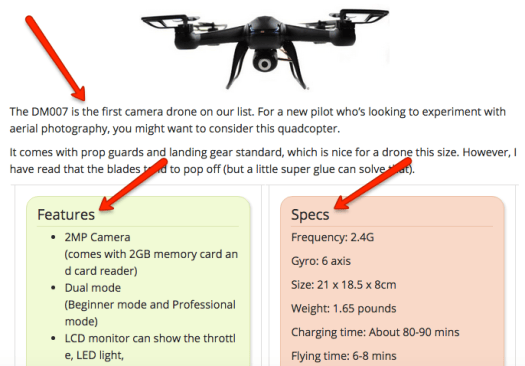
Be picky and move from the best down. Then rinse and repeat this process to bring in consistent traffic.

Tweet This Button - image

16. Quora — A Little-Known Long Term Source of Traffic

Quora is a Q&A site.

(Like Yahoo Answers, but more modern.)

People are constantly asking questions and providing answers to every topic under the sun.

Each question starts a thread, and these threads can stay active for months (and sometimes years).

They continue to get views. They continue to attract new answers.

And they can continue to send traffic your way for the life of the thread.

That’s Quora’s hidden traffic generation power.

Take a look at these stats from one of my clients:

Quora Traffic Stats 1 - image

Quora Traffic Stats 2 - image

Quora is our second highest source of social media traffic and our fourth highest overall.

But here’s the thing:

We haven’t done any active traffic gen on Quora in the last 2 months. Yet it continues to bring in visitors every single day.

Overall Quora Traffic Statistics - image

This also means that the more you implement the strategy I’m about to teach you, the more your traffic will grow exponentially.

You can’t say that about many other traffic sources.

Let’s learn how to do it:

First, head over to Quora and create an account. Beef it up with the topics you’re an expert in, a bio, your description, etc.

Find the search bar and enter in a keyword related to your content, products, services — whatever you want to promote. (Note: Content works best because you’re providing free value.)

Quora Search - image

Go through the threads and give in-depth answers to people’s questions. The more value you provide, the more they’ll trust your expertise.

At the end of your question, simply link to a place on your site where they can get more information. It could be a piece of content. It could be a product page. Anywhere they can read more about what you’re discussing.

Here’s an example:

Quora Thread - image

Notice how I lead into my content as a natural place to get more info? That’s what you want to do.

Simply rinse and repeat this for as many answers as you like. Always genuinely help them with their problems and present your content as the ultimate solution.

See the full Quora thread here for a better look.

Tweet This Button - image

17. Use Content Locking to Get More Social Shares

You’ve seen me use this once in this post, and maybe you even clicked on it.

Social content locking hides a valuable piece of content from the reader. In order to gain access, the reader must share the article they’re reading. Example:

Social Content Locker - image

It’s a good way to provide value to readers over and above what the article offers, and for you to get some more social love. Win-win.

For WordPress, the Social Locker plugin is by far the easiest solution to make this happen. (If you don’t use WordPress, there might be other alternatives you can try.)

Tweet This Button - image

18. Triberr

Triberr is a platform for sharing content with other bloggers.

The concept is based around reciprocating and sharing the wealth. The more you share other people’s content, the more likely they’ll be to share yours.

To get involved with Triberr, simply head over to the site and make an account. Then, go to the “Tribes” page and use the “Categories” dropdown to find tribes related to your niche:

Triberr Tribes - image

Join as many as you like.

When you’re in a tribe, you’re either a “Follower” or a “Member.” You want to become a member in order to get your content shared.

Some tribes have specific rules and some let you become a member right away. Make sure to read the fine print.

To take full advantage, simply hop on for 5 minutes a day to share other people’s content, and when you publish something valuable, request a promotion.

Tweet This Button - image

19. Blog Commenting on Steroids

If you’ve been around the SEO space at all, you’ve heard of blog commenting as a link building strategy.

You’ve probably also heard that it’s a low-quality one that isn’t worth pursuing anymore.

This might be true, but in a relationship building and traffic generation sense, blog commenting can still be a viable strategy — if you know how to get the most out of it.

I use this strategy to drive traffic, stay up to date with my favorite blogs, and build relationships along the way.

And I get these opportunities sent directly to my email inbox daily. All I have to do is click and leave a comment.

Let’s see how this is done:

First, make a list of your favorite blogs, and make sure they get a good amount of traffic.

Here are some of my favorites:

These are some of my favorite blogs for a reason. They’ve taught me a TON.

But because they teach me and thousands of other people valuable information, they also get a lot of traffic.

If you leave one of the first comments whenever blogs like these post articles, you can drive a solid amount of traffic for little work.

But you can also begin building relationships with these people, networking, and ultimately forming mutually beneficial partnerships. The benefits go way beyond traffic.

Once you’ve got your list, head over to Blogtrottr.

Blog Trottr

Blogtrottr allows you to set up an email alert that notifies you every time a blog publishes an article — as soon as it’s published.

First, create an account so you can set up multiple feeds. Then click on “Subscribe to a new feed.”

New Feed - Image

Next, you want to find the RSS feed URL for each site on your list. To do this, go to one of the sites, add “/rss” or “/feed” (no quotations) after the URL, and hit enter. This will usually redirect you to their RSS feed.

Copytactics RSS - Image

Copytactics Feedburner - Image

Grab the URL for that page and enter it into Blogtrottr. Set the schedule to “Real Time” so it emails you the moment a new post enters that feed.

Blogtrottr add feed

After that, you should be good to go!

Copytactics Feed Signup - Image

This will set it up so you never miss a blog post. They will arrive in your inbox ASAP so you can leave one of the first comments.

Now, when these opportunities enter your inbox, head over there as quick as possible.

Read through the article and leave an in-depth and insightful comment. Don’t just say “nice article.”

Remember: You want click-throughs to your site.

You want to blow people away with the knowledge you’re dropping. This will also help you stand out to the blogger, and if you end up leaving a relevant link to your site in the comment, it will have a much higher likelihood of being approved.

That’s it!

The more you do this, the more traffic you will drive.

But what if you don’t make it in time to be one of the first comments?

Here’s a sneaky trick:

Just reply to one of the first comments.

Tweet This Button - image

20. Host a Forum on Your Site

Forums get a TON of traffic.

They provide a sense of community and offer a valuable place to learn and get help from other people. It’s no wonder they’re some of the highest trafficked sites on the web.

You can grab some of this traffic for yourself by hosting your own forum.

Especially if you’re in a unique niche (or are presenting yourself as a unique part of that niche), this can be a great way to keep people on your site longer and spread the word about who you are.

The only question is, how do you set one up?

One of my favorite bloggers, Matthew Woodward, put together a fantastic step-by-step tutorial on how to do this.

Take it away Matt:

Case study/tutorial — http://www.matthewwoodward.co.uk/tutorials/why-you-need-a-forum-how-to-add-one-to-your-wordpress-site/

Tweet This Button - image

21. Social Media Strategies to Get More Shares on Your Content

It’s no secret:

Social media networks are some of the best traffic sources.

They’re some of the most visited sites on the web, and they’re especially adept to spreading valuable content.

But there is an issue.

These sites are crowded. They’re overflowing with updates, tweets, content, links, promotions, deals — anything and everything.

To stand out, you have to do everything you possibly can to get more social shares.

I’m going to show you three of my favorite tips to do just that.

1) @Mention and Tag Influencers

In the outreach strategies strategy (#1), you saw how powerful it can be to tap into an influencer’s following.

This tip is another way to get on their radar and make yourself known to them.

Whenever you share an influencer’s content, make sure you tag their Twitter handle or “+” them on Google Plus.

This will send them a notification that you’ve shared their content. The more you do this, the more they’ll see that you’re one of their top promotors.

This makes them much more likely to check out your stuff, read your emails, and share your content.

2) Use Hashtags to Extend the Reach of Your Tweets

#mondaymorningcoffee

#ilovebasketball

#ballislife

These aren’t the types of hashtags that will grow your business. But there are definitely some that will.

Adding a hashtag extends the reach of your tweet to people who might be searching for or browsing that hashtag.

The key is using hashtags that are popular in your niche (not random thoughts like the ones above).

I typically go for ones like these:

#Marketing

#ContentMarketing

#LeadGeneration

They’re general terms that are popular in my niche. So when you share your content, include 1-3 hashtags to get more eyeballs on your tweet.

3) Add Click to Tweet Links in Your Content

You might have noticed that I included a button like this after each strategy in this article:

Tweet This Button - image

That button is actually a link that automatically pulls up a window to share this article on Twitter.

Including links like these throughout your content can increase engagement and social shares above and beyond standard share buttons.

To do this, head over to Click to Tweet and create a “Basic Link.”

Click to Tweet Basic Link - image

Click to Tweet - image

You get to pre-populate the tweet that pops up when someone clicks the link, but the person can edit it how they wish before sharing it.

I suggest including these components in the pre-populated tweet:

  • The tweet itself
  • Your Twitter handle (so you get a notification when people share it)
  • 1-3 popular hashtags in your niche

Then sprinkle these links throughout your content.

Tweet This Button - image

What To Do Next?

As you begin implementing them, these strategies are going to help you drive more free website traffic.

But there are a lot to try, so it can be tough to get started.

I suggest picking one strategy to start with right now.

Seriously.

Pick a strategy and implement it right now. Post your content in a LinkedIn group. Reach out to someone for a social share. Set up your Twitter automatic DM.

Take some sort of action that will get you closer to your traffic goals. Then comment below and tell me how it went.

After that first step, the floodgates start to open 😀

…But Before Driving Serious Traffic, Make Sure You Avoid This Costly Mistake:

If you liked the article, I put together a special bonus for you.

This bonus is going to help you avoid one of the biggest mistakes I see people make when driving traffic:

They don’t optimize their site to capture emails before traffic generation.

Why is this such a costly mistake?

Because, on average, around 98% of your visitors won’t convert right away. This means you’re missing out on potential leads, sales, and customers.

Even if you’re not ready to sell to them yet, having an email list is a major asset:

  1. These people share your content and help you drive traffic.
  2. They provide valuable feedback about you, your products, and your services.
  3. You can develop real relationships with them. They’re often the people you help out the most.
  4. When you’re ready to sell, they’ll be your most enthusiastic customers.

I wrote a book entitled The Content Marketing Guidebook.The Content Marketing Guidebook - image

It’s arguably one of the most in-depth and actionable content marketing guides out there. (It’s a step-by-step process, just like these strategies.)

I am offering “Chapter 10 — How to Capture Traffic and Build Your Email List” to you for free:

Chapter 10 - Image

(I was going to write up a separate document, but I figured giving you this chapter will be more helpful. And you also get a sneak preview of the book.)

I can’t stress how important it is to optimize your site to capture emails, before actually driving a serious amount of traffic.

You can fully optimize your site within a half an hour, and you will reap the benefits for the life of your website.

To download Chapter 10 of The Content Marketing Guidebook — “How to Capture Traffic and Build Your Email List,” simply click the button below:

Chapter 10 Button - Image

Enjoy 😀

Any questions or comments about these strategies? Let me know in the comments below.