How PDF is Better Than Other Formats

Guest Contribution: This article was written by a guest author. If you would like to contribute to Copytactics, please feel free to get in touch.

If you have to edit a text file, you are going to have to choose between multiple good and reliant formats.

However, there’s a big difference between being reliant and being the best option available. The latter description best fits the PDF format which has the upper hand on other formats such as .DOC.

If you don’t have that much experience with text editing formats or with PDF in general, that statement might be a bit questionable. However, we have prepared an enticing list of features that put PDF on top. By the end of this article you might find yourself using PDF instead of your current format.

Combining files and content

Combining files is most natural in the PDF format. It is the format used in professional environments such as publications. Editors use PDF files to combine all the content they need to review, and it makes things a lot easier.

The easy with which text and graphics can merge also comes into play and makes the PDF format the best solution for when you need to combine multiple documents and make it look as natural as possible.

It’s also very easy to learn how to combine multiple files, so it’s definitely a feature anyone can get into using early on.

Protecting files with a password

This is a feature that is very welcomed in many situations. Having unsecured files just sitting on your computer is an open invitation for anyone to just sneak in and read them when you’re on your break at work or when you’re not at your computer at home.

No matter what kind of information you want to protect, you can use PDFs to put a password on the document. This will ensure no one can just drop by and read your sensitive information.

Universal availability

Other formats like the aforementioned .DOC require associated software, i.e. Microsoft’s Word program. If you have to have certain software installed to view or manipulate a file, that cuts the amount of people that can read the documents you send them considerably.

If you want to make absolute sure that whomever you send a file to is capable of reading it, send a PDF. PDFs can be opened with a plethora of PDF reading software but also with the Chrome browser which means that the recipient will have no problem in reading the file.

Small size

PDF files generally occupy a lot less space on the hard drive than any other similar format. Considering the fact that you can also use imagery and integrate it into a PDF file (see digital magazine issues for instance), the size of the file should be considerably bigger.

But it manages to maintain a very favorable total size which is great news for your internal storage.

CoEmbed Review | All You Need To Know Plus Bonuses

coembed product cover

Software: CoEmbed

Use: Embed your Call-To-Action while sharing other people’s viral content.

Ease of Use

Take the time to understand all the features (there’s a lot) and it becomes pretty user friendly.

Customizability

It seem they’ve gone out of their way to make practically every feature customizable. Change it up to match your brand, your niche, or a particular mailing list. Whatever you need… you’ll be able to do it.

Affordability

Take advantage of the launch special if you can. As usual action takers are rewarded with better pricing. However, even if you miss the launch special, it’s still reasonably priced considering the tremendous potential of this software.

Support

The CoEmbed team (Mo Miah, John Gibb and Misan Morrison) have been in business for some time and there’s no reason to think they won’t be around for some time into the future. You can expect prompt, expert support from this experienced team.

Main Features

  • Embed your Call-To-Action on any page/video link.
  • Cloud based software (can be used from any computer)
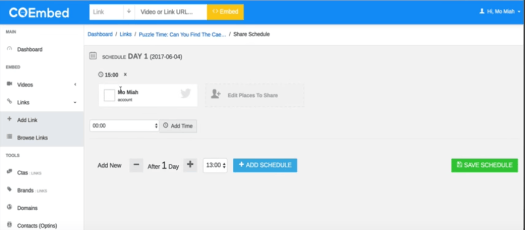
  • Schedule when your embedded CTA posts will appear on social media.
  • Extensive customization options available.
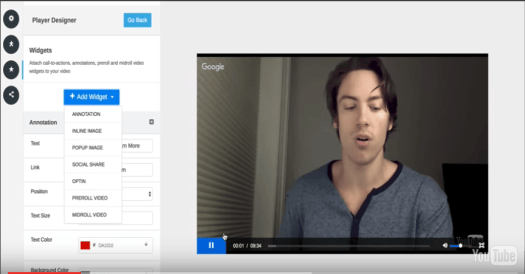
  • Choose from a variety of CTA's including pop-ups, clickable links, social sharing buttons, opt-in forms and more.
  • Leverage the power of social media and viral content.
  • Works even if you don't have your own website.
  • No tech or coding skills required

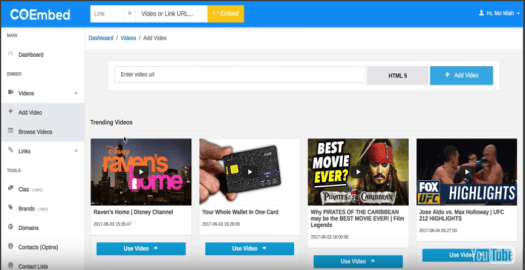
Overview: CoEmbed is a powerful, cloud based, software that enables you to leverage other people's viral video's, popular posts etc as a platform to build your own list or sell your own product.

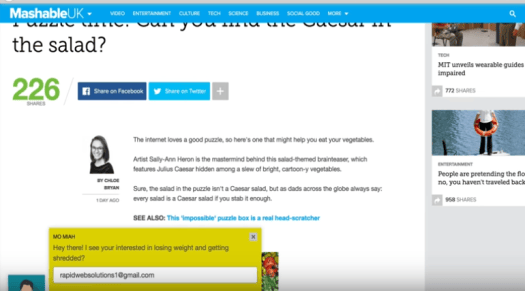
It achieves this by allowing you to embed a Call-To-Action, of your own choosing, within any link you share with your list or on popular social media platforms like Facebook and Twitter.

When your audience opens the link, your Call-To-Action will be displayed without changing or impacting the original page/video content.

Your Special Bonuses

Buy CoEmbed through one of the links on this page and you will also receive the following bonus material:

Bonus 1

Bonus 2

Bonus 3

3 Easy Steps

Share viral/interesting content (that someone else created) and embed your own Call-To-Action.

It sounds easy and it is.

The software behind the process is powerful but from a user point of view it's not at all complex.

It revolves around just 3 steps:

1. Find some trending or popular content to share.

It could be a video or a blog post, pretty much anything that has a sharable link. It does not need to be something you created, you can use other people’s content (your Call-To-Action will not change the original content).

2. Embed Your Call-To-Action

There are a wide variety of CTA’s to choose from. Find one that works best for your purpose and customize if needed.

3. Share The Content With Your Target Audience

Put it on blogs, social media, wherever your audience hangs out. Social media posts can be scheduled out into the future so you can prepare a batch at a time.

Upsells Summary

The sales funnel will offer you some upsells...

 1 CoEmbed Pro

Unlocks additional features such as:

  • Facebook Retargeting
  • A/B Split Testing
  • Custom CSS
  • Custom Video Landing Pages
  • Case Studies

2 Traffic Mastery Training

Includes intensive training on various traffic strategies. Weekly live calls.

3 Agency License

Gives customers the ability to create account access for virtual assistants.

Summary

CoEmbed provides you with a remarkably effective (and low cost) way to build your email list or drive traffic to your money site. It’s a great tool for any Internet Marketer.

Your Special Bonuses

Order through one of the links on this page and you will receive the following bonuses:

Bonus 1

Bonus 2

Bonus 3

​

What Are You Waiting For?


CoEmbed's launch special is only available for a limited time. If you want to leverage the power of viral content with your Call-To-Action embedded, to grow your business then don't wait. Grab your copy before it ends.

ReplyTap Review

ReplyTap Review Image

Software: ReplyTap

Use: Lead Generation & Customer Support

Recommendation: STRONG

Ease of Use

Great interface and easy to use. Cloud-based so it can be accessed from any computer.

Features

All-in-one solution for lead generation and customer support. Quite advanced solution for this type of tool. Video chat gives it a huge advantage over similar tools.

Price

Priced competitively. Might fall out of the budget of smaller websites but great for businesses where customer service is a top priority.

Support

Top notch support team on deck to answer questions and guide you through use of the software.

ReplyTap Review Overview: Many businesses are built almost entirely on how well they handle customer service, so any solution that helps a business serve their customers better is worth a look. ReplyTap is an innovative new solution for lead generation and customer service. It allows website visitors to talk to support reps, on demand, at the exact moment they have an issue. This includes current customers and prospective customers who are considering your service. It comes with a built-in knowledge base component, video calling, co-browsing features, and much more. In a nutshell, ReplyTap is one of the best all-in-one customer service solutions I've found. I highly recommend that any customer service-oriented business at least give it a go. If it doesn't work out, ReplyTap's money-back guarantee is available to take advantage of.

Button not working? Click here


Special Bonuses for My Readers

Buy through one of my links and you will get over $55 worth of free bonus content with your purchase.

Package:
The Ultimate Content Marketing Knowledge Base

  • MY BOOK ($19 VALUE)
  • MY 7-STEP PROCESS ($9 VALUE)
  • Writing Skills Ebook ($9 value)
  • Psychology of Selling Ebook ($9 Value)
  • Lead Generation Tactics Ebook ($9 value)
  • + 4 more bonuses
  • CHECKLIST: How To Create Amazing Content Every Time
  • The Ultimate List of Content Promotion and SEO Mastery Resources
  • GUIDE: 21 Ways to Drive Free Website Traffic
  • GUIDE: How to Find Almost Anyone's Email Address


ReplyTap Review: What is ReplyTap and Why I Recommend It

Imagine for a moment that you’re a potential customer visiting your own website. You’ve read about what you offer, you’ve learned a little about the company, and you’ve checked out the pricing and packaging options, but you’re still not sure whether or not what you want to buy.

You’ve checked out similar services and none of them really stuck out in your mind, but you’d still like to talk to a real person before buying. However, there’s no way to do this directly. You have click over to the Contact page, send an email, and wait an unknown amount of time for a response. Then you have to go through 6 back and forth emails just to get the information you need.

What if you could talk to someone instantly? What if you could get your questions answered from any page on the website? And what if you could even video chat with someone and actually see their face?

This is what ReplyTap allows you to offer customers and potential customers. It gives them a direct window to your support staff where they can get any question answered as soon as they come up with it. 

Why is this so powerful? One, because it shows that you truly care about helping your customers. And two, because it makes you stand out above your competitors. When a customer is on the fence, it’s your attention to service that persuades them t0 buy.

Here are just a few of the things ReplyTap allow your customers to do:

  • Use a built-in chat box to talk directly to support reps in real time (no more lengthy email conversations wasting time)
  • Access to a full knowledge base of support articles
  • Video call with a support representative when they have an issue
  • Co-browsing features so support reps can see what customers are doing on their computers and help directly
  • And much more.

If customer service is important to you, I highly recommend giving ReplyTap a go. It will help you generate more leads, satisfy and retain more customers, drive sales, and increase profits in any niche.

If it’s not for you, simply take advantage of their money-back guarantee. The potential to change the way you do customer service is too strong not to try it out.


ReplyTap Demo Video

Check out the demo video below to get an inside look at how ReplyTap works (Coming Soon):

Button not working? Click here


ReplyTap Pricing & Packaging

ReplyTap is competitively priced with out lead gen and customer service solutions on the market. In fact, I’d say it’s underpriced right now for what the tool offers.

UNLIMITED Lifetime Price

Price will increase soon. Act now.

$197 / one time

Redirects to ReplyTap


Special Bonuses for My Readers

Buy through one of my links and you will get over $55 worth of free bonus content with your purchase.

Package:
The Ultimate Content Marketing Knowledge Base

  • MY BOOK ($19 VALUE)
  • MY 7-STEP PROCESS ($9 VALUE)
  • Writing Skills Ebook ($9 value)
  • Psychology of Selling Ebook ($9 Value)
  • Lead Generation Tactics Ebook ($9 value)
  • + 4 more bonuses
  • CHECKLIST: How To Create Amazing Content Every Time
  • The Ultimate List of Content Promotion and SEO Mastery Resources
  • GUIDE: 21 Ways to Drive Free Website Traffic
  • GUIDE: How to Find Almost Anyone's Email Address

What Are You Waiting For?


ReplyTaps launch offer is only available for a limited time. If you want to take your customer service to the next level and grow your business, don't wait. Grab your copy before it ends and use the button below to receive all 9 of the exclusive bonuses from Copytactics.

Button not working? Click here


Thank you for reading and best of luck building your online empire!

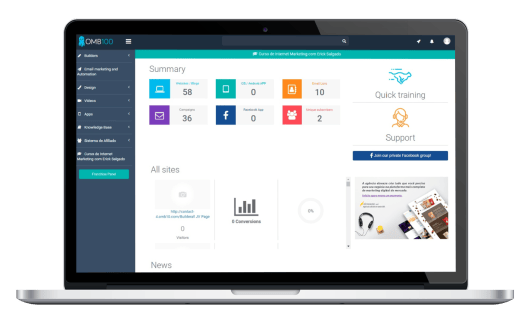
Builderall Review 2017

Builder Review Image

Builderall Review Image 2

Software: Builderall

Use: Complete Digital Marketing Solution

Recommendation: STRONG

Ease of Use

The interface is clean & user-friendly. However, I could see people getting overwhelmed with the amount of options available. Blessing and a potential curse for some.

Features

If I could give Builderall 10 stars in this category, I would. There is simply no other tool available with this much capability packed into one platform.

Price

Again, if I could give it more than 5 stars, I would. For the capability, it is vastly underpriced right now. I suggest getting in early before it reaches the market price of other online marketing tools of its caliber.

Support

Not only is the support team available to answer any questions, they have a vast amount of tutorials to walk you through each feature of the software.

Builderall Review Overview: I was given a review copy of the tool to test out. In a nutshell, Builderall is the most powerful marketing tool I have ever seen. It can easily replace 5 to 10 of the tools most marketers use to run their businesses every day. And to think that it's priced 3X cheaper than even the lowest tiers of the most popular internet marketing tools out there, this launch offer is a steal. At the very least, I suggest signing up and giving it a go. If you don't like it, take advantage of their 30-day money back guarantee. Buiderall could very well be the last tool you ever need.

Button not working? Click here


Special Bonuses for My Readers

Buy through one of my links and you will get over $55 worth of free bonus content with your purchase.

Package:
The Ultimate Content Marketing Knowledge Base

  • MY BOOK ($19 VALUE)
  • MY 7-STEP PROCESS ($9 VALUE)
  • Writing Skills Ebook ($9 value)
  • Psychology of Selling Ebook ($9 Value)
  • Lead Generation Tactics Ebook ($9 value)
  • + 4 more bonuses

The Content Marketing Guidebook - image

My 180-page book teaching you how to drive traffic, build an email list, and get ranked in search engines.


Builderall Review: What is Builderall and Why I Recommend It

If you’ve been in online marketing for even a short period, you know just how many tools, services, and plugins are out there. You probably use between 5 and 10 at any one point in time. I certainly do.

Not only is it annoying having to switch between one tool for SEO, another for email marketing, another to help with website design, and over to another one for SEO again, it’s costly. Using a plethora of tools costs both time and money.

When I first laid eyes on Builderall, my face lit up. FINALLY, here’s a tool that’s been carefully crafted for busy digital marketers and online business people. They basically took all the tools we use to run our businesses on a day to day basis and combined them into one.

Here are just a few of the things Builderall allows you to do:

  • Collect and manage email subscribers (no more email marketing service)
  • Send unlimited emails (no more silly sending restrictions)
  • Build high-quality websites (no more searching for the right WordPress theme or hiring an external design firm)
  • Create high-converting sales pages (no more landing page services or plugins)
  • Create membership sites (no more WooCommerce woes)
  • Sales funnels (no more expensive autoresponder services)
  • Create videos (no more expensive videographers & editors)
  • Track SEO metrics (no more rank tracking tools)
  • On page SEO reports
  • Click maps and heat maps to learn about your visitor’s behavior
  • And MUCH more to help you minimize costs, time, and run your business smoothly

Those are the ones you possibly expected from an IM tool, but here are some you didn’t:

  • Create Android and iOS apps (no more figuring out how to do that or hiring an expensive developer)
  • Build presentations
  • Create animated videos
  • A complete design studio for mockups and box designs
  • Browser notifications to use on pages
  • Link unlimited domains to your websites
  • Fantastic support material to teach you each and every feature
  • And this only scratches the surface

But here’s the kicker: You won’t need to use any more plugins. Builderall is a fully-integrated platform. Everything you need is inside. And all for much cheaper ($29.99/mo, at the time of this writing) than even a single other email marketing or SEO tool you’re probably using right now. 

I’m not saying this out of thin air. I was given a review copy of the tool, and I can guarantee you all of this is inside, and more.

If you are a digital marketer or online business person, I can’t recommend Builderall enough. It will help you cut costs, generate more leads, drive more sales, and increase profits in any niche.

I suggest giving it a go, and if you don’t like it, simply take advantage of their money back guarantee (30 days). The potential to change your business is too strong.


Builderall Demo Video

Curious about how Builderall works behind the scenes? Check out this demo video:

Button not working? Click here


Builderall Pricing & Packaging

With over 10,000 active users in 30 countries, and a 95% customer retention rate, Builderall is a proven platform. And I believe it is massively underpriced right now.

UNLIMITED Monthly Plan

Price will increase soon. Act now.

$29.99 / month

($1 per day)

Redirects to Builderall


Special Bonuses for My Readers

Buy through one of my links and you will get over $55 worth of free bonus content with your purchase.

Package:
The Ultimate Content Marketing Knowledge Base

  • MY BOOK ($19 VALUE)
  • MY 7-STEP PROCESS ($9 VALUE)
  • Writing Skills Ebook ($9 value)
  • Psychology of Selling Ebook ($9 Value)
  • Lead Generation Tactics Ebook ($9 value)
  • + 4 more BONUSES

The Content Marketing Guidebook - image

My 180-page book teaching you how to drive traffic, build an email list, and get ranked in search engines.

What Are You Waiting For?


Builderall's launch offer is only available for a limited time. If you want to take advantage of the ultimate all-in-one marketing platform, don't wait. Grab your copy before it ends and use the button below to receive all 9 of the exclusive bonuses from Copytactics.

Button not working? Click here


Thank you for reading and best of luck building your online empire!

Social Kickstart 2.0 Review

Social Kickstart Review Image

Software: Social Kickstart 2.0

Use: Facebook Marketing Automation

Recommendation: STRONG

Ease of Use

Intuitive interface with user-friendly options and controls.

Features

Comes with a fantastic suite of features to handle all of your Facebook marketing needs.

Price

Multi-tiered pricing to fit a wide range of budgets (monthly, yearly, or lifetime).

Support

The Social Kickstart team is available to answer support requests on demand.

Core Features

  • ​Automate growth of your Facebook fan pages and groups.
  • ​Streamline growth efforts by handling all Facebook marketing under one roof.
  • ​Cloud-based software for use on any computer.
  • Manage all fan page posts from one interface.
  • Find, edit, & share viral content from Facebook, Pinterest, Instagram and YouTube to grow your account.
  • Conduct market research. Sort posts by key metrics (Post Date, Shares, Likes, Subscribers, Comments, Repins, Followers) to find important trends.
  • Automatically stagger posts so they look more natural.
  • ​Schedule posts days, weeks, or months in advance to run growth on autopilot.
  • Drag-and-drop editor to quickly adjust post queue.
  • Give team members access to specific or all campaigns in your account.
  • TeeSpring research tools to find profitable t-shirt campaigns.
  • Facebook Ad Builder built in. No need for multiple windows or tools.
  • Reply to comments, engage your audience, and build relationships from one interface.

NEW Features in Social Kickstart 2.0

  • Simultaneously post to Facebook, Twitter, LinkedIn and Instagram.
  • Facebook Live scheduling. Schedule pre-recorded Facebook Live videos.
  • Improved post scheduling. Create schedules that post X times per day, at certain times of the day.
  • More content curation sources. Easily curate content from Facebook Groups, Facebook Pages, YouTube, Meme Search, Pinterest, Tumblr, Instagram, and Google News.

Social Kickstart Review Overview: With over 7,000 active users, Social Kickstart is the most complete tool for serious Facebook marketers. It allows you to automate growth of your Facebook fan pages, quickly identify which types of content will grow your account the fastest, and replicate that success to increase your followers, engagement, and revenue. It's an all-in-one swiss army knife for Facebook growth marketing and generating income on autopilot. Version 2.0 of Social Kickstart comes jam packed with new features and is offered at a special introductory price for new users.

Already a Social Kickstart user?  Click here to upgrade to version 2.0 for a discounted price


Special Bonuses for My Readers

Buy through one of my links and you will get $443 worth of free bonus tools & content with your purchase.

Package #1:
The Ultimate Content Marketing Knowledge Base

  • MY BOOK ($19 VALUE)
  • MY 7-STEP PROCESS ($9 VALUE)
  • Writing Skills Ebook ($9 value)
  • Psychology of Selling Ebook ($9 Value)
  • Lead Generation Tactics Ebook ($9 value)
  • + 4 more bonuses
  • CHECKLIST: How To Create Amazing Content Every Time
  • The Ultimate List of Content Promotion and SEO Mastery Resources
  • GUIDE: 21 Ways to Drive Free Website Traffic
  • GUIDE: How to Find Almost Anyone's Email Address

Package #2:
The Facebook Maximizer Suite of Tools

  • FB Redirect Pro ($97 Value)
  • Facebook Timeline Optin ($97 Value)
  • Facebook Timeline Survey ($97 Value)
  • FB GFX Pro ($97 Value)

Handy tool for creating Facebook Fan Page graphics without Photoshop or design skills.


What is Social Kickstart?

Social Kickstart is a complete Facebook marketing platform. It allows you to manage fan pages, hyper-target content sharing, conduct market research, and automate growth campaigns, all from a single location.

Social Kickstart Image

The tool is perfect for marketers who want to ramp up growth of their Facebook accounts and income, but who don’t want to deal with the time or monetary cut costs from doing it manually. Social Kickstart is a powerful automation tool, allowing you to find and leverage shareable content that’s laser targeted to your audience and schedule it out for months in advance — all in a matter of minutes.

No time wasted trying to figure out the best content to post. No time spent coming back every few hours to post it. No more guessing whether content will perform well. No need for an intern or VA to manage your fan pages. No need for multiple expensive tools and services. Social Kickstart 2.0 was built to streamline your growth efforts by handling ALL of your Facebook marketing under one roof.

Automation only scratches the surface of what this tool offers. Let’s break down its other core features.


Social Kickstart 2.0: Core Features for Growth and Automation

Discover hyper-relevant, shareable content across Facebook, Pinterest, Instagram and YouTube

Schedule posts for days, weeks or months in advance

Improved scheduling allows you to post X times per day, at certain times of the day

Manage all Facebook pages and groups from a single location

Conduct Facebook market research to gain critical Insights

Manage team members

Simultaneously post to Facebook, Twitter, LinkedIn and Instagram to scale growth in your other accounts

Curate content from 8 top quality sources

BONUS Features for Even More Usability

Facebook Ad Builder

Facebook Live Scheduling

Research Profitable TeeSpring Campaigns

Directly Engage With Your Audience


Social Kickstart Demo Video

Get an inside look at how Social Kickstart works:

Already a Social Kickstart user?  Click here to upgrade to version 2.0 for a discounted price


Social Kickstart 2.0 Pricing & Packaging Options

Social Kickstart has been around for over 2 years with 7,000+ active users taking advantage of the platform.

PERSONAL

YEARLY

$197 / year

Redirects to Social Kickstart

PERSONAL

MONTHLY

$27 / month

Redirects to Social Kickstart

PERSONAL

LIFETIME

$247 (one time)

Redirects to Social Kickstart

AGENCY

MONTHLY

$17 / month

Redirects to Social Kickstart

AGENCY

LIFETIME

$197 (one time)

Redirects to Social Kickstart


Special Bonuses for My Readers

Buy through one of my links and you will get $443 worth of free bonus content with your purchase.

Package #1:
The Ultimate Content Marketing Knowledge Base

  • MY BOOK ($19 VALUE)
  • MY 7-STEP PROCESS ($9 VALUE)
  • Writing Skills Ebook ($9 value)
  • Psychology of Selling Ebook ($9 Value)
  • Lead Generation Tactics Ebook ($9 value)
  • + 4 more BONUSES
  • CHECKLIST: How To Create Amazing Content Every Time
  • The Ultimate List of Content Promotion and SEO Mastery Resources
  • GUIDE: 21 Ways to Drive Free Website Traffic
  • GUIDE: How to Find Almost Anyone's Email Address

Package #2:
The Facebook Maximizer Suite of Tools

  • FB Redirect Pro ($97 Value)
  • Facebook Timeline Optin ($97 Value)
  • Facebook Timeline Survey ($97 Value)
  • FB GFX Pro ($97 Value)

Handy tool for creating Facebook Fan Page graphics without Photoshop or design skills.

What Are You Waiting For?


Social Kickstart 2.0's launch offer is available for a limited time only. If you want to build profitable Facebook Fan Pages and scale your Facebook marketing on autopilot, don't wait. Grab your copy before it ends and receive all of the exclusive bonuses from Copytactics.

Already a Social Kickstart user?  Click here to upgrade to version 2.0 for a discounted price


Thank you for reading and best of luck in your online ventures!

ShopiRater Review | Automated Campaigns To Get Reviews And Grow Your Store

Software: ShopiRater

Use: Get buyer reviews & social proof to increase sales.

Ease of Use

Slight learning curve but easy once you get the hang of it.

Customizability

ShopiRater allows you to be as creative as you want. The built in page builder has templates which you can modify as you like. Same goes for the email series.

Affordability

Action takers are rewarded with one time payment during the initial launch. ShopiRater will implement a monthly fee after launch.

Support

ShopiRater users will get all the support they need from a well established team who will be there for the long-term.

Main Features

  • Incentive based campaigns to get product reviews
  • Incentive based campaigns to get referral visitors
  • Drag and drop page builder with done for you templates
  • Customizable review widget which allows reviewers to easily upload images/vids of themselves using the product
  • Easily create autoresponder email series
  • Shopify and Woocommerce approved
  • Detailed reporting and analytics
  • eComm training material to help optimize your store

Overview: eComm store owners know that social proof in the form of product reviews and star ratings have a major impact on sales. With that in mind the experienced team behind ShopiRater have created a powerful app, for Shopify and Woocommerce store owners, that will result in a steady stream of reviews and friend referrals.

ShopiRater Review

As store owner’s we all know that product reviews help sales.

We also know that getting buyers to write reviews is a big challenge.

And that's where ShopiRater steps in to save the day.

In just a few clicks, you can create an automated campaign, targeting your store’s buyers, that offers them incentives such as bonuses, coupons, and free products, in exchange for a review.

People love free stuff and you’re likely to get a ton of reviews.

But it doesn’t end there.

Buyers who leave positive reviews will automatically receive emails encouraging them to refer friends in exchange for an additional bonus. Referral traffic usually converts like crazy.

Once it’s correctly setup ShopiRater has the potential to provide you with a hands-off campaign that sends you a steady stream of reviews and referral traffic.

It works in just 5 simple steps:

1. Connect the ShopiRater app to your store and choose from 3 campaign types:

  • ​Standard
  • Incentivized Review
  • Incentive + Viral Email (referrals)

2. Choose which products will be included in the campaign and fine-tune the emails that buyers of those products will receive after purchase. The emails will explain how they can get a free gift simply by leaving a review. There will be a link to the incentive landing page.

3. Design your incentive landing page with templates from the built-in page builder tool (or use your favorite 3rd party tool like Leadpages). This is where you sell your buyer on writing a quick review in exchange for a wonderful gift.

4. Build your download page where users receive their gift and are encouraged to refer the product they bought to their friends.

5. Build the final thank-you/download page that creates trust and is an opportunity to further promote your brand.

And that’s it! Your campaign is created and you’re ready to rock and roll.

ShopiRater Demo Video

What Are You Waiting For?


ShopiRater's launch special is only available for a limited time. If you want to see the amazing effect product reviews and referrals can have on your business, then don't wait. Grab your copy before the launch special ends.

Thank you for reading and best of luck in your online ventures!

Vidizi Review: 3-Step Online Video Creation Software for Social Media Ads

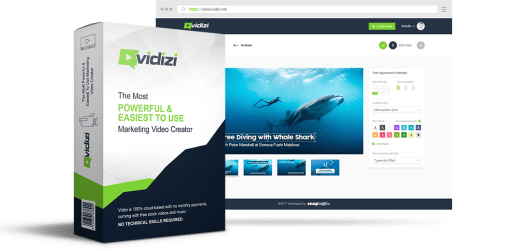
Vidizy Review Image

Software: Vidizi 

Use: Online Video Creation

Ease of Use

Video creation involves a simple 3-step process. Intuitive user-friendly interface.

Customizability

Comes with a built-in library of audio and video, or you can use your own. Beautiful custom text overlays. However, could offer more text animations.

Affordability

Affordable one-time pricing for lifetime access. No monthly plan. (Limited Time Launch Offer)

Support

Extensive documentation available, and support is offered through an experienced Vidizi software team.

Main Features

  • Cloud-based (can be used from any computer)
  • Drag-and-drop editor
  • Comes with pre-packaged royalty-free professional video and audio
  • You can also upload your own video and music or upload directly from YouTube
  • Custom text overlays and animations
  • Optional logo on final slide
  • Less than 10-minutes to process and render
  • Option to process as an HD video or GIF
  • Optimized for Facebook videos
  • No tech or coding skills required

Pros/Cons

What I Like:

  • Extremely easy to use
  • Can be accessed from any computer. Great for traveling or working with a team
  • The built-in audio and video files are high quality
  • The audio is sorted by mood so you can match it to your marketing message
  • Editor allows you to highlight text. This is HUGE for readability and standing out in a social media environment
  • Competitively priced at a one-time fee for lifetime access (limited time launch offer)

What I Don't Like:

  • Could offer more text animations for additional customizability

Overview: I haven't found a tool that makes it this easy and affordable to create effective video ads at scale. Vidizi is great for marketers and business owners who want to create ads that stand out and convert, without spending a fortune on videographers and editors. It's also simple to use. No tech/coding skills are required.

Using The Tool: The 3-step process involves: 1) Select your video or upload your own, 2) Design your video (this can be done in less than 5 minutes), and 3) Export and download. That's it. 

Button not working? Click here


Special Bonuses for My Readers

Buy through one of my links and you will get over $55 worth of free bonus content with your purchase.

Package:
The Ultimate Content Marketing Knowledge Base

  • MY BOOK ($19 VALUE)
  • MY 7-STEP PROCESS ($9 VALUE)
  • Writing Skills Ebook ($9 value)
  • Psychology of Selling Ebook ($9 Value)
  • Lead Generation Tactics Ebook ($9 value)
  • + 4 more bonuses

The Content Marketing Guidebook - image

My 180-page book teaching you how to drive traffic, build an email list, and get ranked in search engines.


Vidizy Review ImageI think we can all agree:

The digital marketing world is going NUTS over online video right now.

Marketers are boasting crazy impression numbers, click through rates, conversions, and ROI. This is especially the case on platforms like Facebook and Instagram, where video massively over-indexes with those audiences.

But hiring a professional videographer and editor who knows what they’re doing can be expensive and time consuming. How is a small business, ecommerce site, or solopreneur suppose to compete?

I recently came across a potential solution to this problem — a piece of software called Vidizi — that offers a cost-effective way to scale online video creation. Read on to check out my review and get an inside look at this new tool.

What is Vidizi?

Vidizi SC 1

Vidizi (pronounced “vid-easy”) is an easy-to-use online video creation tool.

Using a drag-and-drop editor, it allows you to create professional quality videos for paid advertising material or for your social media accounts. No tech or professional editing skills are required.

The software is cloud-based, so you can access it from anywhere with an internet connection. And it comes with pre-packaged, license-free audio and video built in to the Vidizi platform.

Vidizi SC 2All of the audio and video is unique and tailor-made for creating ads that perform well in a social media environment (you’ll learn exactly why later).

The videos are fully-customizable with text and color overlays, and you can upload your own audio and videos as well. At the time of this writing, no other platform I’ve found offers this.

In a nutshell, Vidizi is a tool for creating effective social media ads quickly, easily, and most importantly, cost-effectively.

Why was Vidizi created?

Like many applications, Vidizi is the product of necessity and practicality. It was invented by Jimmy Kim, a prolific online marketing consultant and CEO of Snaptactix, a company that creates software solutions for online marketers.

About 8 months ago, Jimmy saw a pop-up from Facebook suggesting that video ads are most effective at 15 seconds or less in length. So Jimmy tested it. And, quite frankly, he got some very enviable results.

He spent $2,600 on video ads for an ecommerce product he was selling and made over $52,000 in sales. That exact campaign is shown below:

Vidizi Facebook Campaign New

Jimmy recognized the immense value in this type of ad, but his current video creation method was slow and cumbersome. (He was hiring a videographer to shoot his videos and his team to edit and process each one.)

He realized he needed to create a tool that would allow his team to churn out high quality marketing videos quickly and easily. So they got to work developing Vidizi.

How does Vidizi work?

In the image below, you will see the main interface of the Vidizi platform. From here, you can see past videos you’ve created, as well as start a new project or receive help if you get stuck.

Vidizi demo 1

Let’s run through the creation of a new video. First, you will notice that you can upload a ready-made video from YouTube. This is handy if you find a YouTube video that fits your message.

You can also select from 100 pre-made, marketing-ready videos that come with the Vidizi platform. I appreciated the attention to quality the Vidizi team put into these. With 100 videos, they could have easily made them less professional and portrayed the same value. 

You can also upload a video from your computer. This means you’re free to use material you already have OR you can take advantage of the work the Vidizi team has already done and use theirs, license-free.

Vidizi demo 2

Vidizi is built to leverage Facebook’s 15-second rule for creating effective, high-converting advertising videos.

This is why Vidizi is loaded with tons of 15-second, high definition videos that are perfect for creating these types of ads. (Jimmy personally used these types of videos to get an insane 1,938% ROI.)

Vidizi demo 3

Vidizi‘s crown jewel is its drag-and-drop editor. It makes creating expert quality marketing videos dead simple. Here’s the interface:

Vidizi demo 4

Vidizi’s easy-to-use drag-and-drop video editor allows you to:

  • Add text overlays to convey your message and, most importantly, your call to action in an easy to read format.
  • Change the text’s position, alignment, color, font, and highlight. Highlighting is extremely powerful for making your text stand out in a busy Facebook and social media environment.
  • Text transitions to give your video a nice, elegant flow.
  • Choose music from different genres to convey different feelings within your audience or add your own (which is something no other platform I have found allows).
  • Replace the footage if you would like to go another route.
  • Preview the video so you can see what it would look like live.
  • Save your project
  • And more

Any experienced video editor will tell you one of their BIGGEST complaints is processing and rendering a video once it has been created. This process can take hours, and if your computer isn’t powerful enough, it sometimes doesn’t work at all.

One of the things I love most about the Vidizi platform is that it’s 100% cloud-based. The processing and rendering happens on the back of their platform in usually under 10 minutes, while you sit back and relax.

Vidizi demo 5

After processing, you can download the video directly to your computer with the option to use it as either an HD video OR a GIF, completely up to you. And you’re left with a beautiful video for your marketing campaigns:

Vidizi demo 8

It doesn’t get any easier to churn out loads of marketing videos that are optimized for social media.

Here’s the process I go through:

I like to create at least three videos per campaign, all with different background videos, text colorations, audio, and slightly different CTAs. Then split test them for a week.

Then I take the highest performing ad, create slight variations of it, and split test the original and the variations for another week. By the end of the week, I’ve got a winning ad I can run until it’s time to create another.

And due to Vidizi’s scalability, I can create these not only for myself but for my clients as well.


Vidizi Demo Video

Get an inside look at how Vidizi works from Jimmy Kim, its creator:


Why are these videos such effective marketing assets?

The astounding effectiveness of these 15-second marketing videos all comes down to one thing:

We’re living in a mobile-first world.

If you can’t sell on mobile, you’re in trouble — if not now, then certainly in the future.

You’re simply missing out on WAY too many sales your competitors could end up picking up. The transition from desktop usage to mobile (for research, content consumption, and most importantly, making purchases) cannot be ignored by business owners.

Facebook has even proven, through multiple studies, that 15 seconds or less is the optimal length for mobile video:

Vidizi demo 7

Facebook knows what their audience reacts well to. If you make your video 15 seconds or less, Facebook will even help you out by organically pushing your video out faster and further to more people. This is what Vidizi is perfectly optimized for.

Not only that, it’s optimized to help you create these videos as quickly, simply, and as effectively as possible with no technological skills required. Anyone can do it.

Vidizi Pricing & Packaging Options

Vidizi comes in two different packages and price points that I think are quite affordable compared to what you would pay elsewhere.

And, frankly, because you get lifetime access, they are a steal for this type of software.

Vidizi Pricing Table

The Personal License ($57) gets you:

  • Instant access to Vidizi and its full range of features
  • Ability to create up to 60 marketing-ready videos per month
  • A whopping 100 bonus video templates, to help get you started
  • A 14-day money back guarantee
  • Lifetime access to the platform

The Commercial License ($67) gets you:

  • Everything in the Personal License
  • Ability to create unlimited videos for your personal use
  • Ability to create unlimited videos for clients or to sell to other people
  • Lifetime access to the platform

Please note: This lifetime access price is only available during Vidizi’s launch period.


Special Bonuses for My Readers

Buy through one of my links and you will get over $55 worth of free bonus content with your purchase.

Package:
The Ultimate Content Marketing Knowledge Base

  • MY BOOK ($19 VALUE)
  • MY 7-STEP PROCESS ($9 VALUE)
  • Writing Skills Ebook ($9 value)
  • Psychology of Selling Ebook ($9 Value)
  • Lead Generation Tactics Ebook ($9 value)
  • + 4 more bonuses

The Content Marketing Guidebook - image

My 180-page book teaching you how to drive traffic, build an email list, and get ranked in search engines.

What Are You Waiting For?


02
Days
23
Hours
33
Minutes
21
Seconds

Vidizi's launch offer is only available for a limited time. After this, it will become a monthly subscription. If you want to create powerful social media ads at scale for an affordable price, don't wait. Grab your copy before it ends and use the button below to receive all 9 of the exclusive bonuses from Copytactics.

Button not working? Click here


Thank you for reading and best of luck in your online ventures!

How to Get Your Twitter Share Counts Back

How to Get Your Twitter Share Counts Back ImageWho else was pissed when Twitter removed their share counts?

*raises hand*

You’re not alone.

A LOT of people got frustrated. They even created a #SaveOurShareCounts campaign.

Not to mention, according to a study by Shareaholic, overall shares to Twitter on 300,000+ sites decreased 11.28% after the change.

Personally, most of my shares and social proof come from Twitter. I was not happy.

Then I got an email from someone promoting an article. I checked out his site and, low and behold, he had tweet counts!

Then I checked out a few more sites, like SEMrush:

SEMrush Twitter Shares

Buzzsumo:

Buzzsumo Twitter Shares

And Social Media Examiner:

Social Media Examiner Twitter Shares

And saw they all had shares too.

So asked him how he did it, and he spilled the beans. Now I’ve got my Twitter shares back, and all is good in the world again:

Free Web Traffic Shares

(I lost that email, so if you’re reading this let me know and I’ll give you credit.)

In this quick guide, you’re going to learn how to get your Twitter share counts back for all of the major social sharing plugins, like SumoMe, Shareaholic, AddThis, AddToAny, and more.

Click the links below to skip down to each section:


The Official Twitter Button

To get your tweet counts back for Twitter’s official button, here are 2 options:

1) NewShareCounts

First, head over to NewShareCounts and type in your website’s URL:

SumoMe 1

This is how they track your site’s shares.

The next page will contain the following code:


Official Tweet Button 1

Copy and paste this code anywhere within the HTML of your site. NewShareCounts will 1) pull up your Twitter shares for the past 7 days and 2) track all of your future shares.

(If it doesn’t work after this, follow these instructions.)

This code also works for any specific plugin that uses the standard tweet counter.

I pasted my code in my header, so my tweets are tracked on every page.

If you’re using WordPress and don’t have an option within your theme to edit your header/footer, check out this plugin.

2) TwitCount

First, head over to TwitCount and click “Give Me My Twitter Counts Back”:

Official Button 2

Then sign in using your Twitter account and fill in your website details:

Offical Button 3

Select “Official Twitter Button” and click continue:

Official Button 4

Finally, take the code it generates and paste it anywhere on your site within the HTML:

Official BUtton 5

I prefer the header or footer. (WordPress users, try this plugin to edit your header/footer.)


SumoMe

To get your SumoMe tweet counts back, here are 2 options:

1) NewShareCounts

First, head over to NewShareCounts and type in your website’s URL:

SumoMe 1

This is how they track your site’s shares.

Then, go ahead and place the following code within the HTML of your site:

 ;

NewShareCounts will 1) pull up your Twitter shares for the past 7 days and 2) track all of your future shares.

I pasted my code in my header, so my tweets are tracked on every page.

If you’re using WordPress and don’t have an option within your theme to edit your header/footer, check out this plugin.

2) TwitCount

First, head over to TwitCount and click “Give Me My Twitter Counts Back”:

Official Button 2

Then sign in using your Twitter account and fill in your website details:

Offical Button 3

Select “Supported Social Plugins” and click Continue:

SumoMe 2

Finally, take the code it generates and paste it anywhere on your site within the HTML:

Sumome 3

I prefer the header or footer. (WordPress users, try this plugin to edit your header/footer.)

Boom! That’s it.


Shareaholic

To get your Shareaholic tweet counts back, here are 2 options:

1) NewShareCounts

First, head over to NewShareCounts and type in your website’s URL:

SumoMe 1

This is how they track your site’s shares.

Then, go ahead and place the following code anywhere within the HTML of your site:

 ;

NewShareCounts will 1) pull up your Twitter shares for the past 7 days and 2) track all of your future shares.

I pasted my code in my header, so my tweets are tracked on every page.

If you’re using WordPress and don’t have an option within your theme to edit your header/footer, check out this plugin.

2) TwitCount

First, head over to TwitCount and click “Give Me My Twitter Counts Back”:

Official Button 2

Then sign in using your Twitter account and fill in your website details:

Offical Button 3

Select “Supported Social Plugins” and click Continue:

SumoMe 2

Finally, take the code it generates and paste it anywhere on your site within the HTML:

Sumome 3

I prefer the header or footer. (WordPress users, try this plugin to edit your header/footer.)


AddThis

To get your AddThis tweet counts back, here are 2 options:

1) NewShareCounts

First, head over to NewShareCounts and type in your website’s URL:

SumoMe 1

This is how they track your site’s shares.

Then, go ahead and place the following code anywhere within the HTML of your site:

 ;

NewShareCounts will 1) pull up your Twitter shares for the past 7 days and 2) track all of your future shares.

I pasted my code in my header, so my tweets are tracked on every page.

If you’re using WordPress and don’t have an option within your theme to edit your header/footer, check out this plugin.

2) TwitCount

First, head over to TwitCount and click “Give Me My Twitter Counts Back”:

Official Button 2

Then sign in using your Twitter account and fill in your website details:

Offical Button 3

Select “Supported Social Plugins” and click Continue:

SumoMe 2

Finally, take the code it generates and paste it anywhere on your site within the HTML:

Sumome 3

I prefer the header or footer. (WordPress users, try this plugin to edit your header/footer.)


AddToAny

To get your AddToAny tweet counts back, here is one option:

1) NewShareCounts

First, head over to NewShareCounts and type in your website’s URL:

SumoMe 1

This is how they track your site’s shares.

Then, go ahead and place the following code anywhere (within the HTML) on your site:

 ;

NewShareCounts will 1) pull up your Twitter shares for the past 7 days and 2) track all of your future shares.

I pasted my code in my header, so my tweets are tracked on every page.

If you’re using WordPress and don’t have an option within your theme to edit your header/footer, check out this plugin.


Jetpack

To get your Jetpack tweet counts back, here are 2 options:

1) NewShareCounts

First, head over to NewShareCounts and type in your website’s URL:

SumoMe 1

This is how they track your site’s shares.

Then, go ahead and place the following code anywhere within the HTML of your site:

 ;

NewShareCounts will 1) pull up your Twitter shares for the past 7 days and 2) track all of your future shares.

I pasted my code in my header, so my tweets are tracked on every page.

If you’re using WordPress and don’t have an option within your theme to edit your header/footer, check out this plugin.

2) TwitCount

First, head over to TwitCount and click “Give Me My Twitter Counts Back”:

Official Button 2

Then sign in using your Twitter account and fill in your website details:

Offical Button 3

Select “Supported Social Plugins” and click Continue:

SumoMe 2

Finally, take the code it generates and paste it anywhere on your site within the HTML:

Sumome 3

I prefer the header or footer. (WordPress users, try this plugin to edit your header/footer.)


Simple Share Buttons

To get your Simple Share Buttons tweet counts back, here is one option:

1) NewShareCounts

First, head over to NewShareCounts and type in your website’s URL:

SumoMe 1

This is how they track your site’s shares.

This plugin has built-in integration with NewShareCounts. (Read the page here.)

Simply go to Settings –> Share Buttons and choose the Counters tab. Then turn on “Share Count” and “newsharecounts.com Counts for Twitter.”

NewShareCounts will 1) pull up your Twitter shares for the past 7 days and 2) track all of your future shares.


Easy Social Share Buttons

To get your Easy Social Share Buttons tweet counts back, here is one option:

1) NewShareCounts

First, head over to NewShareCounts and type in your website’s URL:

SumoMe 1

This is how they track your site’s shares.

This plugin has built-in integration with NewShareCounts. (Read the page here.)

Simply choose “Display Counters” and in the “Additional Counter Options” section set “Twitter share counter” to “Using NewShareCounts.com.”

NewShareCounts will 1) pull up your Twitter shares for the past 7 days and 2) track all of your future shares.


Super Socializer, Mashshare, AccessPress, Sassy Social Share, and Cresta

To get your tweet counts back for Super Socializer, Mashshare, AccessPress, Sassy Social Share, and Cresta, here is each option:

Super Socializer: Sign up at NewShareCounts so they can track your tweets. Then change plugin’s settings to “Use NewShareCounts to show Twitter share counts.” (Read the full page here.)

Mashshare: Sign up at NewShareCounts so they can track your tweets. Then, within the plugin, go to Settings –> General. Under “Share counts” select “MashEngine (including twitter count).” (Read the full page here.)

AccessPress: Sign up at NewShareCounts so they can track your tweets. Then, within the plugin, go to “Miscellaneous” and select “Yes” under “Social share counter enable?” Then choose “Use NewShareCounts to show Twitter share counts.” (Read the full page here.)

Sassy Social Share: Sign up at NewShareCounts so they can track your tweets. Then, within the plugin, go to “Standard Interface” and select “Show share counts.” Then choose “Use NewShareCounts to show Twitter share counts.” (Read the full page here.)

Cresta: Sign up at NewShareCounts so they can track your tweets. Then, within the plugin, go to  “Select buttons to display on website” and choose “Twitter.” Then go to “Display Settings” and select “newsharecounts.com for Twitter Counts.” (Read the full page here.)


Bonus Method — Buzzsumo’s Chrome Extension

To view the Twitter shares for any web page (including your competitors) you can use Buzzsumo’s Google Chrome extension.

BuzzSumo 1

Download it here.


Hope this helped you get your share counts back!

As you can see, NewShareCounts, TwitCount, and Buzzsumo are the ways to go.

If you know of any others, comment below and I’ll add them in.